Passwords Leak: Causes, Risks & How to Stay Safe
Learn why passwords leak, the risks to your accounts, and proven defenses like strong unique passwords and two-factor authentication to protect yourself.
 Michael Gargiulo
Bottom Line: Over 80% of data breaches involve weak or stolen passwords. Using unique strong passwords for every account, enabling two-factor authentication, and checking for leaks via “Have I Been Pwned?” are the essential defenses against credential theft.
A password leak occurs when hackers gain unauthorized access to stored passwords from a company’s database and expose them publicly or sell them on dark web markets. In 2024, a file named “rockyou2024.txt” surfaced on July 4th, posted by a forum user named ObamaCare. It contained roughly 10 billion credentials. Countless people faced immediate risk of identity theft.
This alarming reality shows why password leak incidents demand attention. They are not small glitches. They are major breaches that cause serious financial losses and destroy trust within moments. Whether you protect personal information or safeguard business data, understanding the risks of credential exposure is critical. These leaks strike anyone, anywhere. The fallout often extends beyond direct victims to entire organizations.
How Passwords End Up in Data Leaks
Understanding how credentials get stolen helps you defend against the most common attack methods.
Common Methods Hackers Use to Steal Credentials
Passwords often fall into the wrong hands through methods like phishing attacks, where hackers trick you into surrendering information by impersonating trustworthy entities. Another common method involves malware that secretly installs on your device and logs every keystroke. Hackers also target company databases directly, exploiting security weaknesses to steal millions of records at once.
Once stolen, these credentials frequently appear on the dark web. Criminals sell or trade them in bulk, enabling further attacks across multiple platforms.
Major Credential Breaches That Shaped Digital Security
The history of password leaks includes breaches that exposed critical security vulnerabilities. The T-Mobile breach exposed sensitive data including birth dates and social security numbers, posing serious downstream risks. The 2021 Facebook breach compromised personal information of over 40 million U.S. users, demonstrating the massive scale at which private data gets exposed.
The Equifax hack in 2017 remains one of the most significant incidents. Sensitive data from 147 million people was exposed, including passwords and financial records. These events underscore the need for robust encryption and swift patching of security vulnerabilities.
The Most Common (and Worst) Passwords Still in Use
Despite widespread awareness of credential theft, millions of people still use extremely weak passwords. Common examples include:
→ admin → password2024 → password → 12345 → 654321 → Iloveyou → qwerty → 1111111 (or 222222, 3333333, 4444444, 5555555, etc.) → 123123 → abc123 → asdfgh
These passwords rank among the easiest for cybercriminals to crack. Automated brute-force tools can guess them in under one second. Using one of these is like locking your valuables in a cabinet but leaving the key in the lock.
Preventing Password Leaks: Proven Tactics and Best Practices
Adopting preventive measures strengthens your overall digital security posture. With credential breaches now expected rather than exceptional, taking steps to secure your passwords is no longer optional.
Create Strong, Unique Credentials for Every Account
Protecting your digital identity starts with the passwords themselves:
→ Unique Passwords: Each online account needs a different password. Reusing passwords across multiple sites means a single breach can compromise every account that shares those credentials.
→ Two-Factor Authentication (2FA): Adding a second verification step reduces the risk of unauthorized access dramatically. You receive a code on your mobile device or use a biometric method like a fingerprint. 2FA combines something you know (your password) with something you have (your phone), making it far harder for attackers to break in.
Build Passwords That Resist Brute-Force Attacks
Securing your accounts takes simple, deliberate effort:
→ Complex Passphrases: Use passphrases that combine multiple words with characters and numbers, like “BlueCoffeePot$45Rain!” These resist cracking far better than short, simple passwords.
→ Regular Updates: Change your passwords every three to six months, especially for financial accounts. After any reported breach, update affected credentials immediately.
Use a Password Manager to Handle Complexity
Managing dozens of strong passwords does not require memorization:
→ Password Managers: These tools generate, store, and retrieve complex passwords from an encrypted database. You remember one master password. A secure password manager protects your credentials even if another service suffers a breach.
→ Enterprise Solutions from MSPs: Organizations benefit from managed password systems that include Single Sign-On (SSO) and comprehensive auditing capabilities. These solutions enhance both convenience and security at scale.
Add a VPN as an Extra Security Layer
A VPN supplements your password security by protecting data in transit:
→ Encryption: A VPN encrypts your internet connection, making the data you send and receive unreadable to anyone who intercepts it.
→ Secure Public Wi-Fi Use: VPNs are particularly valuable on public Wi-Fi networks, where cyber thieves commonly capture credentials and other sensitive data.
| Step | Action | Priority |
|---|---|---|
| 1 | Change the leaked password immediately on that service | Immediate |
| 2 | Change it on any other account where you reused that password | Immediate |
| 3 | Enable Two-Factor Authentication (2FA) on affected accounts | Same day |
| 4 | Alert relevant platforms about potential unauthorized access | Same day |
| 5 | Contact your bank or credit card issuer if financial info was exposed | Same day |
| 6 | Scan devices for malware using antivirus software | Within 24 hours |
| 7 | Reset security questions that could serve as alternate login paths | Within 24 hours |
| 8 | Monitor bank statements and credit reports for suspicious activity | Ongoing |
Tip: Use “Have I Been Pwned?” (haveibeenpwned.com) to check whether your email address appears in any known data breach. Set up free breach alerts so you’re notified the moment your credentials show up in a new leak rather than discovering it weeks later.
Detecting a Password Leak and Responding Fast
Recognizing the signs of compromised credentials and responding quickly minimizes damage and restores security to your digital life.
How to Check if Your Password Has Been Exposed
Stay vigilant and regularly verify your credential status:
→ Breach Notification Services: Use tools like “Have I Been Pwned?” to check if your email and passwords appeared in a data breach. These services compile information from known breaches and alert you when your credentials surface.
→ Monitor for Suspicious Activity: Watch for unauthorized logins, unexpected password reset emails, or security alerts from services you use. These are early warning signs of compromised credentials.
Warning Signs That Your Account Has Been Compromised
Sometimes, hacking indicators are subtle. Here is what to watch for:
→ Unusual Account Activity: Logins from unfamiliar locations or at unusual times that you did not initiate.
→ Locked-Out Accounts: Unexpected lockouts suggest someone else changed your credentials.
→ Unexpected Financial Transactions: Unrecognized charges on bank statements or credit reports indicate possible identity theft. Review financial records weekly during any suspected breach window.
Immediate Steps After Your Credentials Appear in a Leak
If you discover your passwords appeared in a breach, take action within hours:
→ Change Your Passwords: Update credentials immediately, starting with any accounts that share the same password.
→ Implement Two-Factor Authentication (2FA): Add this extra layer even on your newly updated accounts.
→ Alert Relevant Platforms: Notify any platforms where your credentials may have been used about the potential breach.
→ Contact Financial Institutions: Inform your bank or credit card issuer to flag fraudulent activity or replace compromised cards.
Containing the Damage After a Credential Breach
Effective response requires both technical safeguards and clear communication, especially when compromised credentials could contribute to risks like identity theft.
→ Scan for Malware: Use antivirus software to scan your devices for keyloggers or other data-harvesting malware.
→ Reset Security Questions: Change security questions and answers that provide alternative account access paths.
→ Communicate With Stakeholders: If you manage others’ data (for example, running a business), promptly inform affected clients, team members, or partners about the breach and the measures you are taking.
Additional Security Layers: VPN Protection and Beyond
Safeguarding your online identity extends beyond strong passwords. Multiple layers of defense reduce your exposure to credential theft significantly.
How VPNs Reduce Exposure to Credential Theft
When you use a VPN, your internet traffic routes through a secure server that encrypts information traveling between your device and the internet. This encryption matters most on public Wi-Fi networks, which are common targets for cybercriminals capturing credentials and sensitive data. A VPN ensures that intercepted traffic remains scrambled and unreadable.
However, a VPN is one layer in a broader strategy. Combine it with unique passwords, a password manager, 2FA, and regular breach monitoring for comprehensive protection.
Top VPNs for Credential Protection
Consider top-rated VPN providers to strengthen your security:
→ NordVPN: Known for strong encryption protocols, NordVPN offers double VPN protection that encrypts your traffic twice. It provides 6,400+ servers across 111 countries.
→ ExpressVPN: Praised for speed and ease of use, ExpressVPN delivers strong encryption with a verified no-logs policy. It also bypasses geo-restrictions for private browsing internationally.
→ CyberGhost: With a user-friendly interface and 11,500+ servers across 100 countries, CyberGhost provides reliable protection for users new to VPNs.
Building a Complete Credential Security Strategy
Adding a VPN to your security routine is straightforward. Choose a reputable provider, download the application, and connect to a server before browsing or entering sensitive information. Keep the VPN active on any network you do not fully trust.
Pair VPN usage with these essential practices:
→ Use a password manager for every account → Enable 2FA on all accounts that support it → Run breach checks monthly through notification services → Update credentials every 90 days for sensitive accounts → Keep all software and operating systems patched to current versions
This multi-layered approach minimizes the risk of credentials appearing in a data leak and keeps your accounts secure even if one defense layer fails.
Final Verdict
The security of your online accounts depends on your daily habits. Implementing unique, strong passwords, staying alert through proactive monitoring, and acting fast when you discover a compromise are essential practices for every digital user.
Take one step today. Update a weak password. Enable two-factor authentication on your most important accounts. Run a breach check on your primary email address. These actions take minutes but prevent damage that can take months or years to undo.
Digital threats grow more sophisticated each year. Your best defense is a consistent, multi-layered approach: strong credentials, a password manager, 2FA, VPN protection on untrusted networks, and regular breach monitoring. Do not wait for a breach to remind you. Build these habits into your routine now.
Resources for this page
Charts and reference images from our testing, free to view and share.
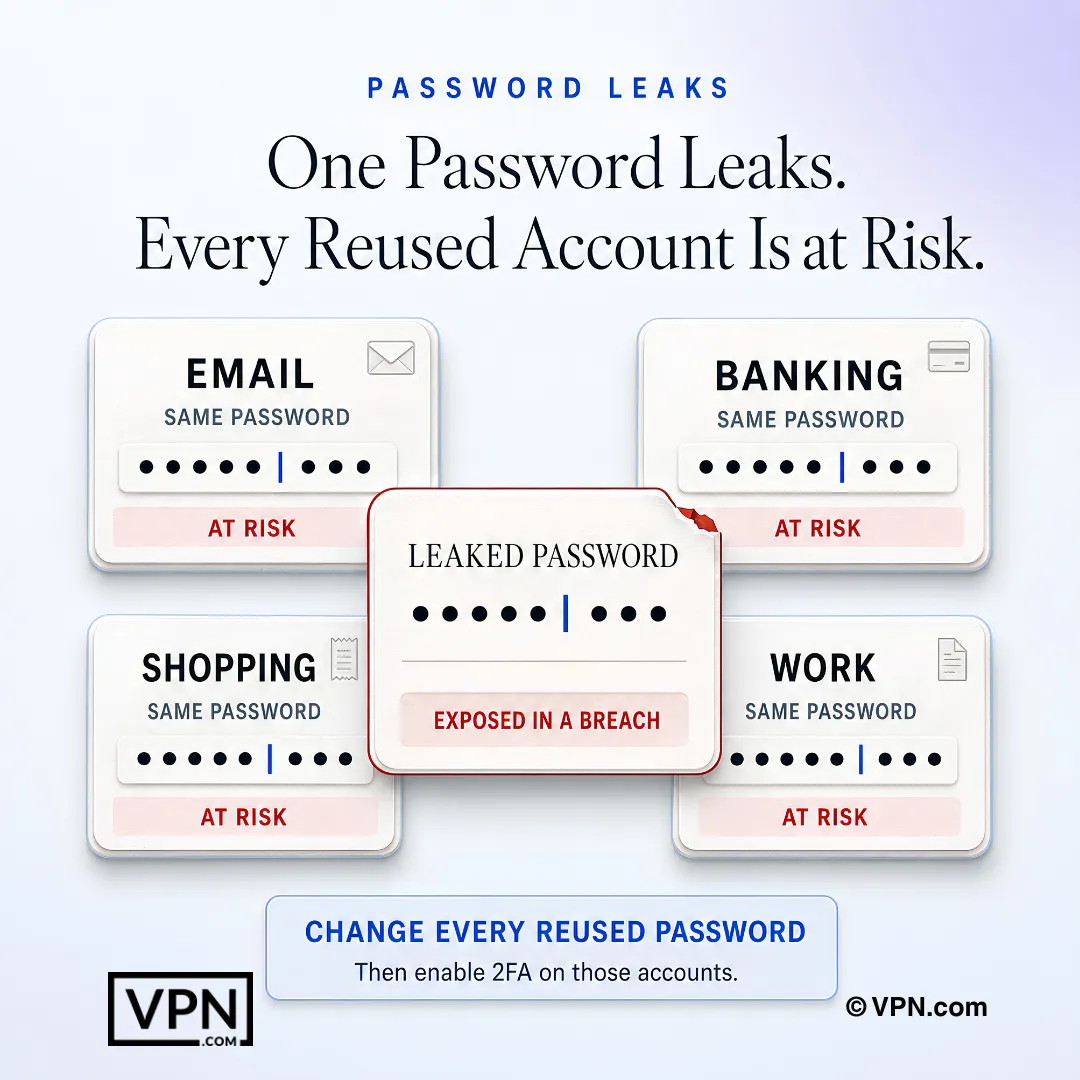
One exposed password can compromise every other account where the same credential has been reused.
Frequently Asked Questions
How do passwords actually end up in a data leak?
Passwords leak through phishing attacks that trick you into handing over credentials, malware that logs your keystrokes, and direct attacks on company databases where hackers exploit security weaknesses to steal millions of records at once. Stolen credentials then get sold or traded in bulk on the dark web, enabling further attacks across other platforms you use.
What was rockyou2024.txt and how many passwords did it expose?
Rockyou2024.txt was a massive credential dump posted on July 4, 2024 by a forum user named ObamaCare, containing roughly 10 billion credentials. It put countless people at immediate risk of identity theft. Over 80% of data breaches overall involve weak or stolen passwords, which is why incidents at this scale matter to nearly every internet user.
Which major breaches show the real-world risk of password leaks?
Three breaches illustrate the scale: the 2017 Equifax hack exposed passwords and financial records for 147 million people, the 2021 Facebook breach compromised personal information of over 40 million U.S. users, and the T-Mobile breach exposed birth dates and social security numbers. Each shows how one database failure cascades into identity theft risk for millions.
What are the worst passwords still in common use?
Despite widespread awareness, millions still use passwords like “password,” “12345,” “qwerty,” “abc123,” and “password2024.” Automated brute-force tools can guess these in under one second. Using one is comparable to locking valuables in a cabinet but leaving the key in the lock, since these examples top lists like NordPass’s most common passwords report.
How does two-factor authentication stop a leaked password from being used?
2FA adds a second verification step, typically a code sent to your phone or a biometric check like a fingerprint, combining something you know (your password) with something you have (your device). Even if your password appears in a leak, an attacker without your phone or fingerprint still cannot log in, which is why it should be enabled on every account that supports it.
How often should I change my passwords?
Update passwords every three to six months, especially for financial accounts, and immediately after any reported breach affecting a service you use. Sensitive accounts benefit from an even tighter 90-day update cadence. Pair this habit with unique passwords per account, since reusing one password across sites means a single breach compromises everything sharing it.
How do I check if my password has already leaked?
Use a breach notification service like Have I Been Pwned (haveibeenpwned.com) to check whether your email or passwords appear in a known data breach. Set up free breach alerts so you’re notified the moment new credentials surface rather than discovering it weeks later. Running this check monthly is recommended as part of an ongoing security routine.
Are password managers actually safe to use?
Yes. A password manager generates, stores, and retrieves complex passwords from an encrypted database, so you only need to remember one master password. It protects your credentials even if another service you use suffers a breach, since each account gets a unique, complex password instead of a reused one. Organizations can extend this with enterprise solutions that add Single Sign-On and auditing.
Can a VPN prevent my password from leaking?
Not directly. A VPN encrypts your internet connection so intercepted traffic stays unreadable, which matters most on public Wi-Fi where cyber thieves commonly capture credentials. It does not stop a company database breach like Equifax’s or Facebook’s, so it should supplement, not replace, unique passwords, 2FA, and a password manager as part of a layered defense.
Why do password managers protect me even if a website I use gets breached?
Because each account gets its own unique, complex password instead of a shared one, a breach at one service exposes only that single credential, not every account tied to it. This directly counters credential stuffing, where attackers take leaked passwords from one breach and try them against other sites, which fails when passwords aren’t reused.
What should I do in the first 24 hours after finding my credentials in a leak?
Change the leaked password immediately on that service, then update it anywhere else you reused it, and enable 2FA on affected accounts the same day. Alert relevant platforms and contact your bank if financial info was exposed. Within 24 hours, scan devices for malware and reset security questions that could serve as alternate login paths.
What warning signs indicate my account has already been compromised?
Watch for logins from unfamiliar locations or times you did not initiate, unexpected password reset emails, sudden lockouts suggesting someone else changed your credentials, and unrecognized charges on bank statements. Review financial records weekly during any suspected breach window, since these signs often appear before you’d otherwise notice a compromise.
Which VPN offers the best protection against credential theft on public Wi-Fi?
NordVPN offers double VPN protection that encrypts traffic twice across 6,400+ servers in 111 countries, ExpressVPN pairs strong encryption with a verified no-logs policy, and CyberGhost runs 11,500+ servers across 100 countries with a beginner-friendly interface. All three encrypt data in transit, which matters most on untrusted public Wi-Fi networks where credentials are commonly captured.
What does a complete password security strategy look like?
A complete strategy layers five defenses: unique passwords per account, a password manager to handle complexity, 2FA on every supporting account, monthly breach checks through a service like Have I Been Pwned, and a VPN active on any untrusted network. Updating sensitive credentials every 90 days and keeping software patched round out the approach, so no single failure compromises everything.