Ransomware Attack Guide: How They Work & Defense Tips
Understand ransomware attacks, common methods cybercriminals use, and practical steps to protect your systems, data, and network from being hijacked.
 Michael Gargiulo
What Is a Ransomware Attack?
A ransomware attack happens when hackers deploy malware that locks files or blocks system access. They demand payment, usually in cryptocurrency, to restore it. Modern variants go further with double extortion. Attackers steal data and threaten to leak it if victims refuse to pay. Some groups now use triple extortion, adding DDoS attacks or targeting third parties linked to the victim.
Bottom Line: Ransomware locks your files and demands payment. Modern variants steal your data first to use as pressure even after decryption. The median ransom demand now sits at $1 million. Prevention costs far less: strong backups following the 3-2-1-1-0 rule, phishing-resistant MFA, patched systems, and network segmentation eliminate most attack paths before they begin.
What if your files, photos, and business records vanished behind a digital lock? The only key is held by criminals demanding payment. That reality defines a ransomware attack. This form of cybercrime doesn’t just block access to your data. In many cases, hackers now steal it first and threaten to leak it if the ransom isn’t paid.
The risk has risen sharply. Ransomware-as-a-Service makes it easy for criminals to launch attacks. Even low-skill hackers can cause massive damage. Recent cases have disrupted hospitals, food suppliers, and government services. No industry is safe.
The impact goes far beyond ransom money. Victims face long downtime, loss of customer trust, and permanent data loss. What once seemed rare has become an everyday risk for individuals, small businesses, and large corporations alike. This guide explains why these attacks keep increasing and provides practical steps to protect your data.
- Average Ransom Payment: $1 million (median), marking a steady rise in attacker demands compared to previous years.
- Data Theft Frequency: 74% of ransomware attacks now involve confirmed data exfiltration before encryption, turning breaches into dual extortion cases.
- Breakout Time: Seconds to minutes. Modern threat actors move laterally within networks almost instantly after initial access, shrinking the window for detection or response.
Cyberattacks strike fast and hard with million-dollar ransoms, widespread data theft, and near-instant breaches. Strong encryption and proactive defense are no longer optional.
How Do Ransomware Attacks Start?
Ransomware spreads by exploiting weak points in everyday digital use. Attackers don’t need advanced tricks. They rely on human error, outdated systems, and insecure access.
Why These Attacks Keep Escalating
Ransomware is no longer a one-off cybercrime. It operates as a growing industry. Attackers combine automation, social engineering, and black-market services to hit targets of every size. Several forces drive this growth:
- Remote work exposure: Employees connect through personal devices or unsecured Wi-Fi, exposing networks to credential theft. Automated scans now reach 36,000 systems per second.
- Weak security and skills gaps: Many organizations lack strict access controls or timely patching. The cybersecurity talent shortage leaves companies underprepared.
- Ransomware-as-a-Service (RaaS): Attack kits sold on underground forums let even low-skill attackers launch damaging campaigns. This model makes ransomware scalable and profitable.
- Cryptocurrency payments: Anonymous payments through Bitcoin and Monero give criminals confidence. Transactions are hard to trace, so gangs treat payouts as low-risk, high-reward.
- Data-driven extortion: Attackers exfiltrate sensitive data before encryption. Average payouts surged past $1.1 million, and 74% of attacks involved stolen data. Each successful payment encourages copycat campaigns.
Phishing Emails and Malicious Documents
Most ransomware attacks begin with phishing. Emails disguised as invoices, delivery notices, or HR updates trick users into clicking links or downloading attachments. A single click can download malware or steal credentials. Once inside, ransomware spreads through shared drives and encrypts files across the network.
Valid Credentials and MFA Gaps
Weak or reused passwords give attackers a quick way in. They use credential stuffing or brute force to access VPNs, email accounts, and remote desktops. Once logged in, attackers move laterally, disable security tools, and launch ransomware. Gaps such as disabled MFA or poorly implemented single sign-on make intrusions faster.
Exposed RDP and VPN Appliances
Remote Desktop Protocol (RDP) and VPNs remain primary initial access points. Attackers use brute-force logins and credential stuffing to gain unauthorized access. Once inside, they set up persistence tools, making detection harder.
Over 60% of ransomware incidents began with the misuse of RDP or VPN access. Many criminal groups purchase and sell these “ready-to-use” access points on dark web markets, accelerating attacks.
Known CVEs and Unpatched Edge Devices
Unpatched software flaws are the second major doorway. Firewalls, email servers, and VPN gateways with known CVEs get scanned around the clock by ransomware operators. Fortinet, Citrix, and Microsoft Exchange vulnerabilities are frequently exploited. The average enterprise patch delay runs 45–60 days, while ransomware groups often exploit within 48 hours of disclosure. Access brokers now bundle exploits with stolen logins for sale to affiliates, reducing technical barriers for attackers.
Supply Chain and Third-Party Access
Ransomware doesn’t always hit directly. Sometimes it arrives through a partner. Compromised IT service providers, software updates, or vendors with weak defenses serve as stepping stones. High-profile attacks have shown that supply chain compromises can spread ransomware to hundreds of customers at once. Threat groups also focus on managed service providers (MSPs), since one breach can deliver dozens of victims in a single campaign.
Where Ransomware Attacks Usually Begin
Approximately 75% of cases originate from someone clicking a fake link or opening a malicious attachment. Hackers also use unpatched software, weak passwords, or unsecured remote access to gain entry. Once inside, the malware encrypts files and leaves behind a ransom note demanding payment.
Security reports showed a 46% rise in industrial attacks in recent years. Criminals now use Ransomware-as-a-Service (RaaS), which allows anyone to rent attack tools online. This lowers the barrier, so even less skilled hackers can launch large-scale operations.
A Look Back at Major Attacks
Ransomware has evolved quickly.
- 1989: The first case, the AIDS Trojan, locked files after 90 reboots and demanded payment via postal mail.
- 2013: CryptoLocker spread widely, infecting over 250,000 systems and introducing large-scale Bitcoin ransom demands.
- 2017: WannaCry hit 200,000+ computers in 150 countries, crippling hospitals, banks, and businesses worldwide.
- 2017: NotPetya masqueraded as ransomware but was destructive malware, costing global businesses billions in damages.
- 2019: RaaS platforms like REvil and GandCrab made attacks easier to launch, fueling growth in cyber extortion.
- 2021: The Colonial Pipeline attack disrupted U.S. fuel supplies, showing how ransomware can target critical infrastructure.
- 2022: Costa Rica’s government declared a national emergency after Conti ransomware crippled ministries and healthcare systems.
- 2023–present: AI-driven ransomware, such as LockBit 3.0, BlackCat, and Adaptix, spread faster, adapted to defenses, and caused greater financial and operational damage.
How Does Ransomware Differ from Other Threats?
Other malware may spy on users, delete files, or slow systems. Ransomware is different. It blocks access and demands money, often leaving victims with only two choices: pay up or lose data.
This mix of extortion and disruption makes it one of the most dangerous forms of cybercrime today. Hackers lock files or shut down systems, demand payment, and use double or triple extortion to maximize pressure.
Types and Tactics of Modern Ransomware
Here are the most common active families and their methods.
Ransomware Families Active Now
- LockBit – Most active group, offering RaaS with affiliates worldwide.
- Clop – Known for exploiting MOVEit Transfer and large-scale data theft campaigns.
- ALPHV (BlackCat) – Written in Rust, flexible for targeting multiple operating systems.
- Royal/Black Basta – Aggressive double-extortion attacks against enterprises.
- Play Ransomware – Uses custom tools to bypass defenses and spread quickly.
- Akira – Rising group hitting mid-sized businesses with data-leak tactics.
Attack Chain: From Entry to Ransom Note
Initial access → Privilege gain → Lateral movement → Exfiltration → Encryption → Extortion
- Average breakout time: CrowdStrike’s Global Threat Report found the average eCrime breakout time dropped to 48 minutes, with the fastest recorded breakout in just 51 seconds. Attackers can move from initial compromise to internal spread in under an hour.
- Speed of impact: Once deployed, encryption of files can take just minutes. Defenders often have a narrow detection window before systems lock up.
Mapped to MITRE ATT&CK IDs
- Initial access → T1078 (Valid Accounts)
- Privilege gain → T1068 (Exploitation for Privilege Escalation)
- Lateral movement → T1021 (Remote Services)
- Exfiltration → T1041 (Exfiltration over C2 Channel)
- Encryption → T1486 (Data Encrypted for Impact)
- Extortion → T1657 (Exfiltration for Impact)
Encryption Speed and Detection Windows
Ransomware doesn’t take long to cause damage. In many cases, encryption begins within seconds of the malware executing. Some strains lock thousands of documents in minutes. Attackers often move laterally first, spreading to shared drives and servers before full encryption. Data theft may happen before or during this phase, enabling double extortion.
Detection windows are small. Many organizations only detect activity after damage has started. Recovery time depends on backup frequency, network segmentation, and incident response speed. Quick isolation and clean backups limit harm. A slow response allows attackers to maximize damage and demand larger ransoms.
How Ransomware Affects Your Business
A ransomware attack does more than lock files. It disrupts workflows, drains resources, and erodes trust. The damage is both technical and strategic. Companies that prioritize ransomware protection find it easier to contain threats and recover faster.
Immediate Operational Impact
- Endpoints and servers get encrypted. Files become unreadable in minutes.
- Production lines and services stop. Orders, payroll, and customer portals stall.
- Backups are often targeted or deleted, making recovery slow or impossible.
The result: Work grinds to a halt while teams scramble to find safe copies.
Financial and Legal Fallout
- The ransom demand is one bill. The full tab includes incident response, forensic hours, system rebuilds, lost revenue, and insurance disputes.
- Regulatory fines and breach notifications add cost if personal data was exposed.
- Lawsuits and compliance audits can follow, even after systems are back online.
- Paying ransoms can trigger sanctions or legal consequences if the funds reach blacklisted groups.
Trust, Contracts, and Market Damage
- Customers leave after data exposure. Partners pause integrations.
- Vendors reevaluate contracts. Investors flag risk.
- Small firms can lose bids and market standing that took years to build.
Hidden, Long-Term Costs
- Lost intellectual property and analytics.
- Higher insurance rates and stricter contract terms.
- Staff burnout and turnover from repeated crisis handling.
These costs erode value slowly and quietly.
Can Ransomware Spread Through VPNs?
Yes. A Virtual Private Network (VPN) can become a delivery path when credentials or devices are compromised. Using a reputable VPN service with strong encryption and MFA enforcement reduces this risk significantly.
- Stolen VPN logins from phishing
- Vulnerable or outdated VPN appliances
- Infected home devices bridging malware into the office
- Flat networks where VPNs provide wide, unchecked access
Quick fix: Enable MFA and patch VPN firmware. Hardening: Enforce zero-trust access and reduce permissions granted by VPN tunnels.
Signs You’re Facing a Ransomware Attack
Spotting early warnings can save your data and money. Hackers often leave behind clues. Here are the common signs:
- Sudden file lockouts – You can’t open files that worked fine before.
- System slowdowns or crashes – Computers freeze or restart without reason.
- Strange payment notes – Messages pop up asking for money or Bitcoin.
- Odd file extensions – Files change names or get new extensions you don’t recognize.
- Encrypted folders – Important folders appear scrambled or unreadable.
- Disabled security tools – Antivirus or firewalls stop working without warning.
- Suspicious network activity – High traffic or unknown connections show up on your system.
- Unusual pop-ups – Alerts appear even when no programs are running.
Quick action is vital. If ignored, the attack can spread fast and cause lasting damage. A single incident can disrupt business, leak private data, and cost thousands in recovery.
Real Consequences of Ransomware for Companies
Ransomware triggers a chain reaction that can cripple a business for months or even years. The consequences reach far beyond IT teams and touch every part of an organization.
Financial Fallout That Keeps Growing
The ransom demand is often just the beginning. Companies face downtime that halts revenue, emergency response costs, forensic investigations, and potential regulatory penalties. In healthcare and finance, a single breach can result in millions of dollars in losses. For smaller firms, recovery expense alone can threaten survival.
Data Theft, Compliance, and Legal Exposure
With double extortion now the norm, attackers steal sensitive files before encrypting systems. Stolen data can resurface on the dark web, creating long-term identity theft risks for customers and employees. Companies face lawsuits, compliance violations, and regulatory scrutiny in data-intensive industries such as banking, education, and government.
Trust and Reputation Erosion
Reputation damage often outlasts the attack. Customers question whether their information is secure. Partners hesitate to collaborate. Investors view the company as high-risk. Businesses can spend years rebuilding credibility, even after systems are fully restored.
Operational and Strategic Disruption
Ransomware stalls entire operations. Manufacturing stops, supply chains get interrupted, and service delivery fails. After recovery, many companies spend months handling audits, court cases, and security overhauls. For some small businesses, the disruption is so severe that they never reopen.
Hidden Long-Term Costs
Even companies that survive often face increased insurance premiums, stricter compliance requirements, and reduced competitiveness. These hidden costs slowly erode profitability.
What to Do If Your Company Is Attacked
The first hour is critical. What you do next determines how much damage spreads and how quickly you recover.
First Hour Checklist
Use this as a guide for immediate action.
Isolate Threat
- Disconnect infected endpoints from the network.
- Disable SMB file sharing and block known C2 indicators.
- Lock or disable accounts showing suspicious activity.
Activate Incident Response Team
- Bring in IT, Security, Legal, Communications, and Executive leadership.
- Establish a secure communication channel (avoid corporate email if compromised).
Preserve Evidence
- Save ransom notes, suspicious logs, system memory dumps, and malware samples.
- Document the timeline of events for the forensic investigation.
Scope the Damage
- Identify which systems are encrypted.
- Confirm if data was exfiltrated.
- Check backup availability and integrity.
Contact Expert Support
- Engage your IR partner or cybersecurity vendor.
- Report to law enforcement.
- Check NoMoreRansom.org for free decryption tools.
Communicate Transparently
- Send a plain-language update to staff and stakeholders.
- Reassure customers while avoiding speculation.
Decide on Recovery Path
- Prioritize restoring from clean backups.
- Consider rebuilding with golden images if needed.
- Only consider decryption if vetted as safe.
Do Not
- Don’t rush to pay ransom. It’s no guarantee of recovery.
- Don’t erase logs or evidence. You’ll lose vital leads.
- Don’t reconnect USB or offline backups too early. They may get encrypted.
Recovery That Actually Works
Getting systems back online isn’t just about restoring files. It’s about rebuilding trust and ensuring the attack doesn’t repeat. A structured recovery plan keeps your organization stable while proving to stakeholders that security matters.
Backups: 3-2-1-1-0 Rule
- 3 copies of data
- 2 different media types
- 1 offsite
- 1 immutable (write-once)
- 0 errors on test restores
Clean Restore
- Verify golden images before redeploying.
- Re-key all credentials, API tokens, and certificates.
- Rotate privileged accounts.
Notifications
- If regulated data is exposed, prepare mandatory breach notices.
- Inform customers with short, factual statements. Avoid speculation.
Decryption Keys
- Always check NoMoreRansom before paying.
- Success rates vary. Verify carefully before attempting.
Companies that use the attack as a turning point to harden defenses, improve staff awareness, and modernize backups emerge stronger and far less vulnerable to repeat incidents.
How to Prevent Ransomware Attacks
Ransomware prevention isn’t about one tool. It’s about consistent habits, strong identity controls, layered defenses, and tested recovery strategies. A company that builds security into daily operations is far less likely to end up paying ransom or losing trust.
Prevention That Sticks
| Defense Layer | Action | Why It Matters |
|---|---|---|
| Identity security | Phishing-resistant MFA (FIDO2), least-privilege access | Stops credential-based entry; 60%+ of incidents start here |
| Email & web filtering | Sandbox risky attachments, block unsafe macros | Cuts phishing, the #1 delivery method |
| Endpoint protection | EDR/XDR across all devices with tamper protection | Detects ransomware in real time before encryption completes |
| Network controls | Segment networks, restrict SMB, deny-by-default rules | Limits lateral movement once attackers are inside |
| Patch management | Live asset inventory, prioritize internet-facing CVEs | Closes the 48-hour window between disclosure and exploitation |
| Backup resilience | 3-2-1-1-0 rule: immutable, tested, offsite copy | Enables recovery without paying ransom |
| Remote access security | Disable open RDP, per-app VPN, equal device standards | Removes one of the most abused entry points |
| Readiness & drills | Quarterly tabletop exercises, live playbooks | Cuts response time; breakout can take as little as 51 seconds |
- Identity Security: Use phishing-resistant MFA like FIDO2 or authenticator apps. Retire old logins and enforce least-privilege access across all accounts.
- Email & Web Filtering: Use sandboxing for risky attachments, block unsafe macros, and apply domain filtering to stop phishing or malware sites.
- Endpoint Protection: Deploy EDR/XDR across all devices and servers. Enable tamper protection and monitor alerts continuously.
- Network Controls: Segment networks, restrict SMB, and adopt “deny by default” traffic rules. Use egress filtering to block communication with command-and-control servers.
- Patch & Asset Management: Keep systems updated and maintain a live asset inventory. Prioritize patching critical, internet-facing vulnerabilities.
- Backup Resilience: Maintain at least one immutable, tested backup to ensure recovery if ransomware strikes.
- Remote Access Security: Disable open RDP sessions, replace broad VPN access with per-app VPNs, and enforce equal security standards for remote devices.
- Readiness & Response: Conduct quarterly tabletop drills and keep live, accessible playbooks for fast, coordinated response during attacks.
Strong defenses aren’t built overnight. Consistent practice and discipline make ransomware far less likely to succeed. Businesses that treat security as an ongoing process recover faster and with less long-term damage.
Ransomware Defense By Industry: Targeted Playbooks
Attackers know that different industries have different weak points. Every sector needs a focused playbook. Here are practical instructions tailored to the most common targets:
Healthcare
Hospitals and clinics run legacy systems that can’t tolerate downtime. Prioritize network segmentation between medical devices and administrative systems. Enforce HIPAA-compliant backups and run tabletop exercises quarterly. Train clinical staff on phishing recognition since attackers frequently target billing and scheduling departments.
Financial Services
Banks and insurers face strict PCI DSS and SOX requirements. Deploy endpoint detection on every trading terminal and customer-facing system. Maintain immutable backups with sub-4-hour recovery time objectives. Require hardware-token MFA for privileged access to payment processing systems.
Education
Schools and universities manage large, open networks with thousands of endpoints. Segment student Wi-Fi from administrative systems. Patch student-facing portals aggressively since they are common targets for credential theft. Maintain offline backups of student records and research data.
Government and Municipal Services
State and local agencies often run underfunded IT departments. Focus on closing RDP exposure, enforcing MFA for all remote access, and maintaining offline copies of citizen databases. Coordinate with CISA for free vulnerability scanning and incident response support.
Manufacturing and Critical Infrastructure
Operational technology (OT) networks need air-gapped backups. Never connect SCADA systems directly to the internet. Monitor network traffic between IT and OT segments for anomalies. Test recovery procedures for production line controllers at least twice per year.
Government, Law Enforcement, and International Cooperation
As ransomware increasingly impacts critical infrastructure and large corporations, governments and law enforcement agencies play a growing role in fighting back.
Cybersecurity Regulations
- GDPR (General Data Protection Regulation): Europe’s core data protection rule. Companies that fail to safeguard personal data face fines up to 4% of global revenue.
- CCPA (California Consumer Privacy Act): Similar protections for California residents, with enforcement actions for data mishandling.
- NIST Cybersecurity Framework: A voluntary guidebook that helps organizations build structured defenses. Widely adopted across U.S. industries.
- Industry-specific regulations: Healthcare (HIPAA) and finance (PCI DSS) carry their own mandatory security standards.
- Mandatory reporting: Many jurisdictions now require companies to report ransomware incidents to authorities within defined timeframes.
These rules push organizations toward stronger security baselines and faster incident disclosure.
International Cooperation Against Ransomware
- Information sharing: Countries exchange threat intelligence about active ransomware groups. This helps defenders prepare faster.
- Joint operations: Law enforcement agencies from multiple countries collaborate to disrupt ransomware infrastructure and arrest operators.
- Diplomatic efforts: Some nations use diplomatic channels to pressure countries that harbor cybercriminal groups.
- Global initiatives: INTERPOL and EUROPOL coordinate cross-border investigations targeting ransomware networks.
- Public-private partnerships: Governments work with cybersecurity firms to share indicators of compromise and develop free decryption tools.
Coordinated global response makes it harder for ransomware groups to operate with impunity, though enforcement across borders remains a challenge.
Future Outlook: Will Ransomware Get Worse?
Cybersecurity experts predict ransomware will not slow down soon. Attackers are becoming more organized, often operating like businesses with customer support, affiliates, and profit-sharing models.
The role of AI and automation in attacks is expected to grow. Machine learning tools may enable criminals to scan for vulnerabilities faster, customize phishing messages, and adapt ransomware strains in real time.
Proactive defense remains the only reliable path forward. Stronger backups, zero-trust security models, continuous monitoring, and employee awareness training stay essential to minimize damage and prevent future threats from spreading.
Key Takeaways: Ransomware Attack Prevention
The risk of a ransomware attack is a daily threat for businesses and individuals alike. Attacks are getting smarter, faster, and more damaging. Prevention remains the most effective defense. Strong backups, updated systems, phishing-resistant MFA, and a clear response plan reduce both the impact and likelihood of an incident. Treating cybersecurity as an ongoing priority ensures stronger protection and resilience against the growing wave of digital extortion.
Resources for this page
Charts and reference images from our testing, free to view and share.
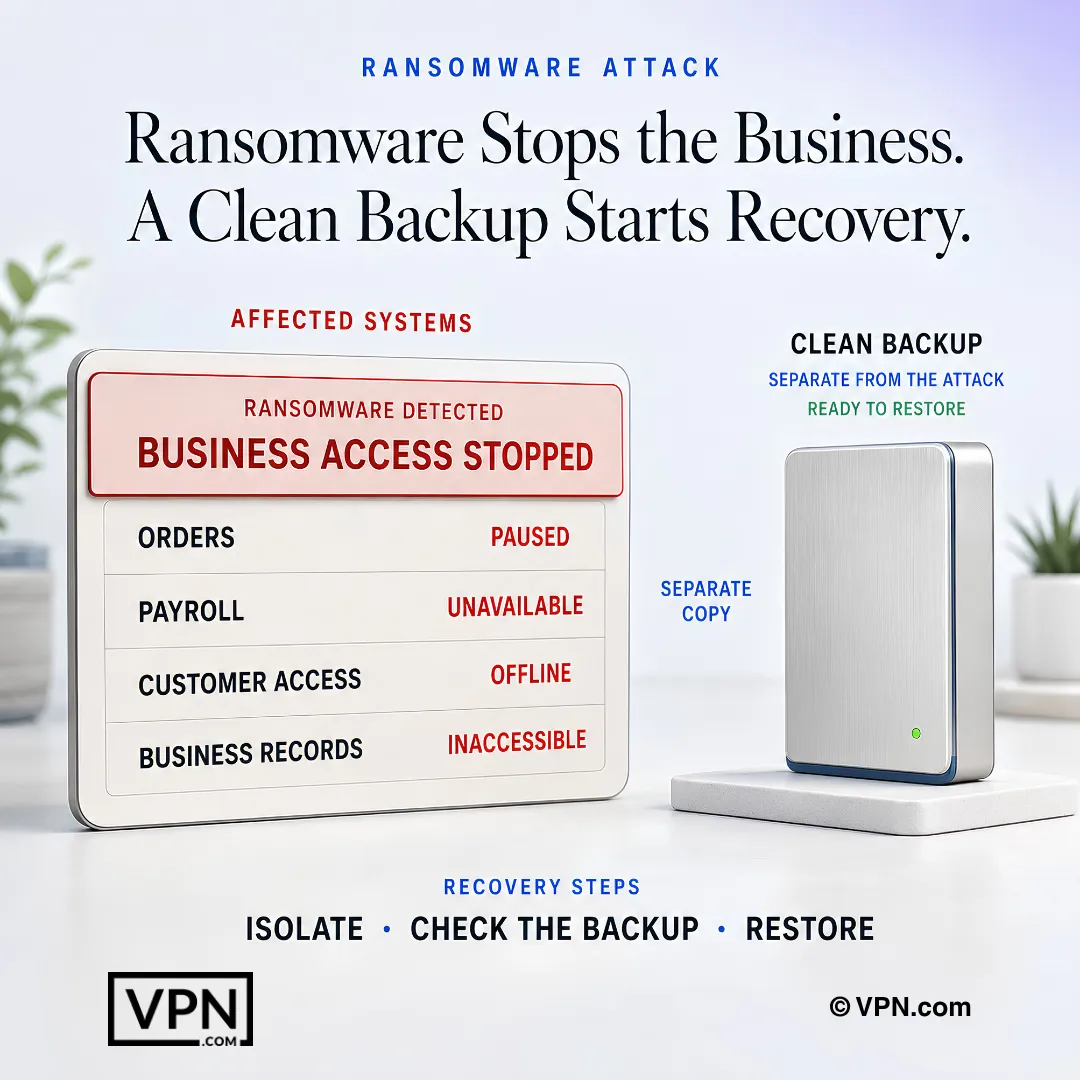
When ransomware stops business systems, a separate verified backup provides the safest path to recovery.
Frequently Asked Questions
Which ransomware families are most active today, and how do they differ?
LockBit is currently the most active group, running affiliate-based RaaS operations worldwide. Clop specializes in exploiting file-transfer flaws like MOVEit Transfer for mass data theft, while ALPHV (BlackCat) is written in Rust for cross-platform flexibility. Royal/Black Basta and Play use aggressive double-extortion tactics, and Akira increasingly targets mid-sized businesses with data-leak pressure.
How fast can ransomware spread once attackers gain initial access?
CrowdStrike’s Global Threat Report found the average eCrime breakout time is 48 minutes, with the fastest recorded breakout at just 51 seconds from initial compromise to lateral movement. Encryption itself can begin within seconds of execution, locking thousands of files in minutes, which is why detection speed matters more than reaction after the fact.
What’s the difference between double extortion and triple extortion?
Double extortion means attackers both encrypt files and threaten to leak stolen data if the ransom isn’t paid, a tactic now present in 74% of ransomware attacks per Verizon’s 2024 DBIR. Triple extortion adds a third pressure point: DDoS attacks or direct threats against the victim’s customers, partners, or other third parties tied to the breach.
What are the most common entry points attackers use to launch ransomware?
Roughly 75% of ransomware cases originate from phishing emails or malicious attachments, per Verizon’s DBIR. Over 60% of incidents involve misused RDP or VPN access through brute-force or credential stuffing. Unpatched CVEs are also exploited, often within 48 hours of disclosure, while average enterprise patch delays run 45 to 60 days.
What is the 3-2-1-1-0 backup rule and why does it matter?
It’s a backup structure built to survive ransomware that targets backups directly: 3 copies of data on 2 different media types, with 1 copy offsite, 1 copy immutable (write-once), and 0 errors on test restores. Immutable, tested backups let a company recover without paying since a compromised active system can’t corrupt what it can’t reach.
How does network segmentation reduce ransomware damage?
Segmentation restricts how far attackers can move laterally once inside, since ransomware often spreads through shared drives and flat networks within seconds to minutes of initial access. Recommended controls include restricting SMB traffic, applying deny-by-default rules, and separating medical devices, OT/SCADA systems, or student Wi-Fi from administrative networks depending on the industry.
Why is per-app VPN access recommended over standard broad VPN access?
Standard VPN tunnels often provide wide, unchecked network access, so a single set of stolen credentials or an infected home device can bridge malware directly into the office network. Per-app VPN access, combined with MFA enforcement and patched VPN firmware, limits what a compromised login can reach, closing one of ransomware’s most abused entry points.
What tools should organizations deploy to catch ransomware before encryption finishes?
EDR/XDR platforms with tamper protection deployed across all endpoints and servers detect ransomware behavior in real time, before encryption completes, since attackers can move from access to encryption in under an hour. Email and web filtering that sandboxes attachments and blocks unsafe macros addresses phishing, the most common delivery method.
What is NoMoreRansom.org and when should it be used?
NoMoreRansom.org is a free resource offering vetted decryption tools built through public-private partnerships between governments and cybersecurity firms. It should be checked immediately after an attack, before considering any ransom payment, since success rates vary by ransomware strain and a working free decryptor can eliminate the need to negotiate with attackers.
What should happen in the first hour after ransomware is discovered?
The first hour should focus on isolating infected endpoints from the network, disabling SMB sharing, and activating an incident response team spanning IT, Security, Legal, and Executive leadership. Preserve ransom notes, logs, and memory dumps for forensics, then scope which systems are encrypted and whether backups remain intact before choosing a recovery path.
Should a company ever pay the ransom demand?
Paying is risky and never guaranteed. Many organizations that pay still don’t receive a working decryption key, and some attackers return demanding more. Payment also funds criminal networks and can flag a company as a repeat target. Recovery should prioritize immutable or offline backups and vetted decryption tools from NoMoreRansom.org before payment is considered.
How does a ransomware defense playbook differ by industry?
Healthcare should segment medical devices from administrative systems and run HIPAA-compliant, quarterly-tested backups. Financial services need sub-4-hour recovery objectives and hardware-token MFA for payment systems. Education must segment student Wi-Fi from admin networks, while government agencies focus on closing RDP exposure and coordinating with CISA for free vulnerability scanning support.
What if attackers delete or encrypt the backups during an attack?
This is a common ransomware tactic, so recovery depends on maintaining immutable or offline backups that cannot be altered even if attackers gain admin access. The 3-2-1-1-0 rule, 3 copies, 2 media types, 1 offsite, 1 immutable, 0 restore errors, ensures at least one clean copy survives regardless of what attackers destroy on the active network.