Best Managed Cloud Providers for Your Workload
Compare top managed cloud providers by security, storage, and scalability. Find the right service model for your infrastructure needs.
 Michael Gargiulo
Bottom Line: Managed cloud providers handle security, storage, databases, and scalability on your behalf, freeing your team to focus on the business. Picking the right one requires matching their service model to your actual workload and growth needs.
What Managed Cloud Providers Do and Why They Matter
A managed cloud provider is a company that hosts your applications and data on cloud infrastructure while handling day-to-day operations like security monitoring, patching, database management, and scaling. For a broader overview of all hosting types including shared and dedicated options, see our web hosting guide. Unlike standard cloud platforms (AWS, Azure, Google Cloud) where your team manages everything after provisioning, a managed provider takes ownership of those operational tasks.
This model suits businesses that lack dedicated cloud engineers or want to redirect IT resources toward product development instead of infrastructure maintenance. Managed cloud providers typically offer tiered service levels spanning three categories:
- IaaS Management: Server provisioning, networking, storage configuration, and OS-level patching.
- PaaS Management: Application runtime environments, middleware, CI/CD pipelines, and container orchestration.
- SaaS Management: Application monitoring, user access controls, data backup, and vendor coordination.
The scope of management varies by provider. Some cover only infrastructure. Others handle the full stack from virtual machines to application-layer monitoring.
How Managed Cloud Differs from Managed Hosting
Managed cloud providers operate on elastic, multi-tenant infrastructure. Resources scale up or down based on demand. Managed dedicated hosting assigns physical hardware to a single tenant with fixed capacity.
Managed WordPress hosting and managed WooCommerce hosting are application-specific services. They optimize a single CMS or e-commerce platform rather than general cloud workloads.
Choose a managed cloud provider when your workloads span multiple applications, require auto-scaling, or need multi-region redundancy. Choose managed hosting when you run a single application with predictable traffic.
Top Managed Cloud Providers Compared
The table below compares six managed cloud providers across pricing model, support tiers, and best-fit use case.
| Provider | Pricing Model | Support Tiers | Best-Fit Use Case |
|---|---|---|---|
| AWS Managed Services | Pay-as-you-go + per-resource management fee | Basic, Developer, Business, Enterprise (24/7 with 15-min critical response on Enterprise) | Large-scale, multi-service deployments with no existing platform lock-in |
| Rackspace Technology | Monthly management fee + cloud consumption | Navigate, Solve, Optimize (fully managed at Optimize tier) | Multi-cloud environments needing hands-on management across AWS, Azure, or GCP |
| Azure Managed Applications | Pay-as-you-go with Azure Hybrid Benefit discounts | Standard, Professional Direct, Unified (formerly Premier) | Microsoft-stack teams running SQL Server, .NET, or Active Directory workloads |
| Google Cloud Managed Services | Pay-as-you-go with sustained-use discounts | Standard, Enhanced, Premium (15-min P1 response on Premium) | Data analytics, ML/AI workloads, or teams already using Google Workspace |
| Cloudflare (with managed partners) | Tiered plans from free to enterprise contracts | Community, email, chat, dedicated account team | Edge computing, CDN-heavy architectures, and DDoS protection |
Reseller managed cloud providers like Rackspace repackage AWS, Azure, or Google Cloud and add their own operations layer. These suit businesses without in-house cloud expertise. You pay a monthly management fee on top of cloud consumption costs.
How to Evaluate a Managed Cloud Provider
Selecting the right provider depends on six measurable factors. Evaluate each against your current workload, compliance obligations, and team capabilities.
Cloud Capabilities and Service Catalog
Every provider has strengths in specific service areas. AWS offers the broadest general catalog with 200+ services. Azure leads in enterprise identity management and SQL Server integration. Google Cloud excels in BigQuery analytics and TensorFlow-based ML pipelines.
If your application relies on SQL Server, Azure reduces licensing costs through Azure Hybrid Benefit. If your team builds on Google products, Google Cloud provides native integrations. AWS Bedrock and SageMaker remain exclusive to AWS for generative AI and ML model training.
Compare individual services, not just platform names. A provider’s database offering may outperform competitors while its container service lags behind.
Team Experience and Technology Stack
Your team’s existing skills often determine the best fit. Fortune 500 companies frequently use multiple cloud providers, allocating workloads based on platform strengths. Smaller teams benefit from consolidating on a single platform that matches their skill set.
If your engineers work with Microsoft technologies (SQL Server, Windows, .NET, Office), Azure reduces the learning curve and licensing expenses. Google-native teams save onboarding time with Google Cloud. Platform-agnostic teams gain the most flexibility from AWS.
Data Center Location and Regional Coverage
Provider location coverage affects latency, redundancy, and regulatory compliance. AWS operates 39 regions with 123 availability zones. Azure covers 70+ regions with 126 availability zones. Google Cloud runs 43 regions with 130 zones.
Many businesses exploring a VPS or cloud alternative prioritize regional availability to reduce latency. If your business must store data within specific countries for GDPR or data sovereignty laws, verify that your provider operates compliant regions before signing.
Cost Structure and Total Ownership
Cloud migration does not automatically reduce costs. Misconfigured resources, over-provisioned instances, and idle services can push cloud expenses above on-premises costs.
Key cost considerations:
- Compute pricing: Per-hour or per-second billing varies by instance type.
- Data egress fees: AWS charges $0.09/GB for outbound data beyond 10 TB/month. Azure and Google Cloud offer similar tiered pricing.
- Support costs: AWS Enterprise Support costs $15,000/month minimum or 3% of monthly usage. Azure Unified Support starts at $50,000/year.
- Reserved capacity discounts: Committing to 1-3 year terms reduces compute costs by 30-60% on all three platforms.
Model your expected usage across compute, storage, networking, and support before committing.
| Selection Factor | AWS | Azure | Google Cloud |
|---|---|---|---|
| Best team fit | General/agnostic teams | Microsoft-stack teams | Google product users |
| AI/ML platform | Bedrock, SageMaker | Azure OpenAI, Cognitive Services | Vertex AI, Gemini |
| AI inference speed | 245ms TTFT (Bedrock) | 180ms TTFT (Azure OpenAI) | 210ms TTFT (Vertex AI) |
| License savings | No | Yes (Windows, SQL, Office via Hybrid Benefit) | No (sustained-use discounts instead) |
| Geographic regions | 39 regions, 123 AZs | 70+ regions, 126 AZs | 43 regions, 130 zones |
| Security headers (own site) | D (3/6) | E (1/6) | B (5/6) |
| Healthcare compliance | HIPAA support | HIPAA support | HIPAA support |
| Payment compliance | PCI-DSS support | PCI-DSS support | PCI-DSS support |
Security Controls and Compliance Coverage
Security and compliance are the top reasons businesses choose specific cloud providers. The NIST Cloud Computing Security publication[1] covers data governance, identity management, and incident response requirements for cloud environments.
Verify compliance at the service level, not just the platform level. A provider may support HIPAA-eligible services for its core compute products but not for a newer database offering. Healthcare organizations need HIPAA compliance with a signed BAA. Payment processors need PCI-DSS. Financial services often require SOC 2 Type II reports.
Many organizations also rely on professional cybersecurity consultants to assess cloud risks before migration.
Performance Benchmarks
Evaluate providers using measurable performance criteria:
- Network throughput: AWS offers up to 100 Gbps between instances in the same placement group. Azure supports 200 Gbps with Accelerated Networking on select VMs.
- Storage IOPS: Compare provisioned IOPS for your database workloads across EBS (AWS), Managed Disks (Azure), and Persistent Disk (Google Cloud).
- Uptime SLA: All three major providers guarantee 99.99% for multi-AZ deployments. Single-instance SLAs drop to 99.9% or lower.
Support Quality and SLA Terms
Support responsiveness varies dramatically by tier and provider. Free-tier support on all platforms limits you to documentation and community forums. Paid tiers access phone, email, and chat access.
Review SLA penalties carefully. Most providers credit account balances rather than issuing refunds. A 99.95% uptime SLA permits roughly 4.4 hours of downtime per year.
Match your support tier to your operational criticality. Mission-critical workloads justify Enterprise-level support with 15-minute response times. Development environments rarely need more than standard support.
Final Verdict
AWS suits platform-agnostic teams needing the broadest service catalog. Azure saves the most money for teams already invested in Microsoft products. Google Cloud leads in AI/ML inference speed and managed Kubernetes (GKE Autopilot).
Audit your current technology stack before choosing. Model costs realistically, including egress, support fees, and management premiums. Verify compliance at the individual service level, not just the platform level.
If your workload is WordPress-specific, compare the fastest WordPress hosting providers instead. For organizations with 100K+ monthly visitors and compliance requirements, our enterprise WordPress hosting guide covers dedicated infrastructure options.
Infrastructure data: Provider documentation, verified May 2026. AI benchmarks: Independent 2026 comparisons. Security: SecurityHeaders.com, May 2026.
References
Resources for this page
Charts and reference images from our testing, free to view and share.
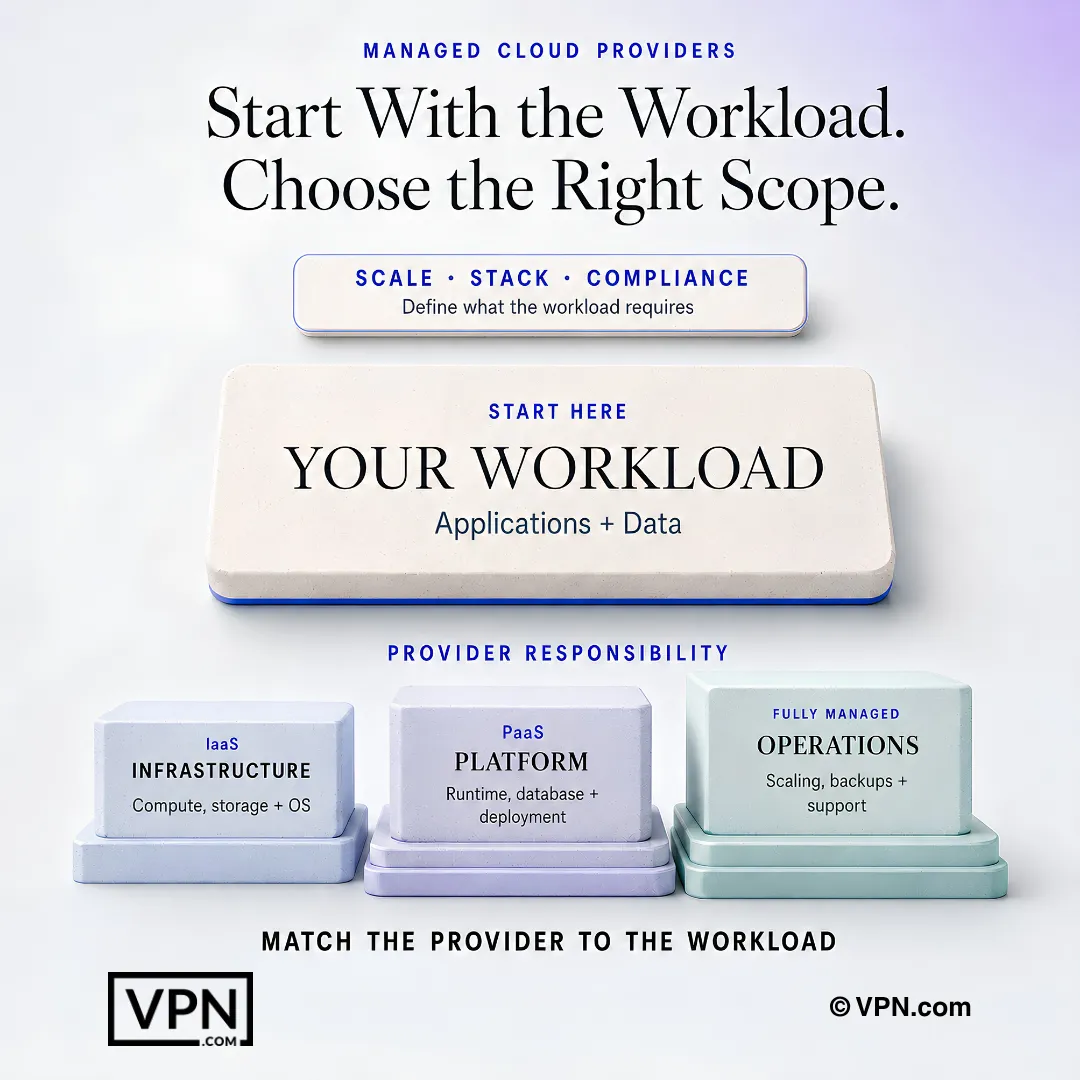
The right managed cloud model depends on the workload’s scale, technology stack, compliance, and operational needs.
Frequently Asked Questions
What does a managed cloud provider actually handle for me?
A managed cloud provider takes ownership of security monitoring, patching, database management, and scaling, unlike raw AWS, Azure, or Google Cloud where your team manages everything after provisioning. Service scope spans IaaS management (provisioning, networking, OS patching), PaaS management (runtime environments, CI/CD, container orchestration), and SaaS management (monitoring, access controls, backup, vendor coordination). Coverage varies, so verify what’s included at the service level.
How is managed cloud different from managed dedicated hosting or managed WordPress hosting?
Managed cloud runs on elastic, multi-tenant infrastructure that scales up or down with demand, while managed dedicated hosting assigns fixed physical hardware to a single tenant. Managed WordPress and WooCommerce hosting are application-specific, optimizing one CMS rather than general workloads. Choose managed cloud for multi-application workloads needing auto-scaling or multi-region redundancy; choose managed hosting for one app with predictable traffic.
What’s the difference between using AWS directly and using AWS Managed Services?
AWS Managed Services adds a per-resource management fee on top of standard pay-as-you-go pricing, plus tiered support: Basic, Developer, Business, and Enterprise, with Enterprise offering 24/7 coverage and a 15-minute critical response time. This suits large-scale, multi-service deployments without existing platform lock-in, shifting day-to-day operational work off your team compared to self-managed AWS.
Which provider fits a team already using Microsoft technologies?
Azure Managed Applications is the strongest fit for teams running SQL Server, .NET, or Active Directory, since Azure Hybrid Benefit reduces licensing costs specifically for Windows, SQL, and Office. Azure’s support tiers include Standard, Professional Direct, and Unified (formerly Premier), with Unified Support starting at $50,000/year. Azure also leads in enterprise identity management, per the comparison table.
What if my team has no in-house cloud expertise?
Reseller managed cloud providers like Rackspace repackage AWS, Azure, or Google Cloud infrastructure and add their own operations layer, so you pay a monthly management fee on top of cloud consumption costs. Rackspace’s tiers, Navigate, Solve, and Optimize, offer fully managed service at the Optimize level, best suited to multi-cloud environments needing hands-on management without dedicated cloud engineers.
How do AWS, Azure, and Google Cloud compare on regional coverage and redundancy?
Azure leads with 70+ regions and 126 availability zones, followed by Google Cloud at 43 regions and 130 zones, and AWS at 39 regions with 123 availability zones. Regional footprint affects latency and redundancy, and matters for data sovereignty: verify your provider operates compliant regions if GDPR or country-specific storage laws apply before signing.
Which provider is fastest for AI/ML workloads?
Independent 2026 comparisons show low-latency time-to-first-token across AWS Bedrock, Azure OpenAI, and Vertex AI, with Google Cloud noted as the AI/ML inference leader alongside GKE Autopilot for managed Kubernetes. AWS Bedrock and SageMaker remain exclusive to AWS for generative AI and model training, while Google excels specifically in BigQuery analytics and TensorFlow-based pipelines.
How much network throughput and storage IOPS should I expect?
AWS supports up to 100 Gbps between instances in the same placement group, while Azure supports 200 Gbps with Accelerated Networking on select VMs. For storage, compare provisioned IOPS across AWS EBS, Azure Managed Disks, and Google Persistent Disk against your specific database workload rather than relying on platform-wide averages.
How do managed cloud providers handle security and compliance?
All three major providers support HIPAA-eligible services (with a signed BAA), PCI-DSS, and SOC 2 Type II reporting, but compliance must be verified at the individual service level, not the platform level. A May 2026 SecurityHeaders.com scan of provider sites found Google Cloud scoring B (5/6), AWS a D (3/6), and Azure an E (1/6). The NIST SP 800-144 publication outlines governance and incident response requirements.
What does 24/7 enterprise support actually cost and guarantee?
AWS Enterprise Support costs a $15,000/month minimum or 3% of monthly usage, whichever is higher, and includes a 15-minute critical response time. Azure Unified Support starts at $50,000/year. Google Cloud’s Premium tier also offers 15-minute P1 response. Free tiers on all platforms limit you to documentation and community forums, so match your tier to actual operational criticality.
Will moving to a managed cloud provider actually save money?
Not automatically. Misconfigured resources and over-provisioned instances can push cloud costs above on-premises spending. AWS charges $0.09/GB for outbound data beyond 10 TB/month, with Azure and Google Cloud applying similar tiered egress pricing. Committing to 1-3 year reserved capacity terms cuts compute costs by 30-60% across all three platforms, so model usage before committing.
Should I use a managed cloud provider for a single WordPress site?
No. Managed cloud is built for workloads spanning multiple applications, auto-scaling, or multi-region redundancy, while a single WordPress site with predictable traffic is better served by managed WordPress hosting, an application-specific service optimized for one CMS. Compare options directly in the fastest WordPress hosting guide instead of provisioning general-purpose cloud infrastructure for one site.
What happens if my workload outgrows managed hosting and needs a managed cloud provider?
Once your workloads span multiple applications, require auto-scaling, or need multi-region redundancy, managed dedicated hosting’s fixed hardware capacity becomes a bottleneck. At that point, migrate to a managed cloud provider’s elastic, multi-tenant infrastructure, matched to your team’s existing stack (AWS for platform-agnostic teams, Azure for Microsoft-stack teams, Google Cloud for analytics or ML-heavy workloads).