Best VPN for DD-WRT: Verified Router Support
Configure VPN directly in your DD-WRT router for network-wide encryption. We tested which providers work reliably on DD-WRT firmware.
 Michael Gargiulo
Top VPNs for DD-WRT



Bottom Line: DD-WRT firmware accesses advanced VPN client functionality that stock router firmware simply doesn’t offer. By configuring a VPN directly inside your DD-WRT admin panel, you encrypt traffic for every device on your network without installing apps on each one. But not every VPN provider works reliably on DD-WRT builds, so choosing one with verified DD-WRT support matters.
Why DD-WRT Routers Are Ideal for Network-Wide VPN Protection
Most consumer routers ship with locked-down firmware that blocks VPN client configuration. DD-WRT changes that. This free, open-source firmware replaces your router’s stock software and opens up an OpenVPN (or WireGuard) client directly in the router’s web interface. That means every phone, laptop, smart TV, and IoT device connected to your Wi-Fi gets VPN protection automatically.
If you’re exploring VPN-on-router setups more broadly, DD-WRT is just one firmware option alongside Tomato and OPNsense.But DD-WRT stands out because it supports over 200 router models, has an active open-source community, and gives granular control over VPN routing rules. The DD-WRT project maintains a searchable router database where you can confirm your exact hardware model and required build version before flashing. A VPN creates an encrypted tunnel between your device and the internet. For a full explanation of how VPNs work, see our guide.When you configure that tunnel at the router level via DD-WRT, you eliminate per-device app installs. This is especially valuable for devices that don’t support VPN apps natively: game consoles, smart speakers, security cameras, and older streaming sticks.
DD-WRT-Specific Advantages Over Stock Firmware
DD-WRT’s VPN capabilities go beyond what any stock firmware provides:
- OpenVPN client built into the admin panel. Navigate to Services → VPN in the DD-WRT web UI to paste your provider’s .ovpn configuration directly.
- Policy-based routing. Route only specific devices through the VPN while others use your regular ISP connection. This is configured under the “Policy Based Routing” field in the OpenVPN client tab.
- DNS leak prevention. DD-WRT lets you manually set DNS servers (e.g., 10.8.8.1 or your VPN provider’s DNS) under Setup → Basic Setup, preventing DNS queries from leaking outside the tunnel.
- Kill switch via iptables. DD-WRT supports custom firewall rules. You can add iptables commands under Administration → Commands to block all traffic if the VPN tunnel drops. DD-WRT does not have a built-in GUI kill switch, so this requires manual firewall rule configuration.
- NVRAM-based configuration storage. DD-WRT stores settings in NVRAM. Routers with less than 32 KB of NVRAM may not have enough space for full OpenVPN configurations with certificates. Check your router’s NVRAM capacity before starting.
If you’re currently using a Linksys router, many Linksys models (especially the WRT series) are popular DD-WRT flashing targets.Similarly, many Asus routers can run DD-WRT, though Asus’s own Merlin firmware is sometimes preferred for those models.
DD-WRT Build Versions and NVRAM: What You Need to Know
Not all DD-WRT builds are equal when it comes to VPN functionality. Older builds may lack OpenVPN support entirely or carry known stability bugs with VPN tunnels. Here’s what to verify before flashing:
- Build version r47525 or newer is required for WireGuard kernel module support. Older builds only support OpenVPN.
- NVRAM capacity of 32 KB minimum is needed to store OpenVPN certificates, keys, and additional configuration strings. Routers with 64 KB NVRAM allow multiple VPN profiles.
- Build type matters. Use “mega” or “big” builds to ensure OpenVPN and iptables modules are included. “Mini” and “micro” builds strip out VPN functionality to save space.
- Check the DD-WRT router database for your exact model number. Some routers have multiple hardware revisions (e.g., Netgear R7000 v1 vs. v2), and the wrong build will brick the device.
Run nvram show | grep size in the DD-WRT command shell (Administration → Commands) to check your current NVRAM usage. If free NVRAM drops below 5 KB after pasting VPN configs, the router may become unstable.
DNS Leak Behavior on DD-WRT Builds
DNS leaks are a common problem on DD-WRT when the VPN tunnel is active but DNS queries still route through your ISP. This happens because DD-WRT defaults to using your ISP-assigned DNS servers unless you override them manually.
To prevent DNS leaks on DD-WRT:
- Go to Setup → Basic Setup in the DD-WRT admin panel.
- Replace the ISP DNS fields with your VPN provider’s DNS servers. NordVPN uses 103.86.96.100 and 103.86.99.100. PIA uses 10.0.0.243.
- Alternatively, use a privacy-focused resolver like Quad9 (9.9.9.9) or Cloudflare (1.1.1.1), though your VPN provider’s DNS is preferred for full leak prevention.
- Under Services → Additional DNSMasq Options, add
no-resolvto prevent DNSMasq from falling back to ISP DNS.
After applying these settings, verify at a DNS leak testing site that all queries resolve through the VPN tunnel. Some older DD-WRT builds (pre-r40000) have known DNSMasq bugs that can cause intermittent leaks even with correct configuration.
Top VPNs Tested on DD-WRT Firmware
We evaluated VPN providers specifically for DD-WRT compatibility. The criteria below reflect what actually matters when configuring a VPN inside the DD-WRT web interface, not just general VPN quality.
| VPN Provider | DD-WRT Setup Guide | Supported Protocol on DD-WRT | Min. NVRAM Required | Split Tunneling on DD-WRT | WireGuard on DD-WRT | Kill Switch Method | Avg. Speed on DD-WRT (% of base) |
|---|---|---|---|---|---|---|---|
| NordVPN | Yes, step-by-step DD-WRT web UI guide | OpenVPN (UDP/TCP) | 32 KB+ | Yes, via policy-based routing | Partial (newer builds only) | Manual iptables rules | ~65-75% |
| ExpressVPN | Yes, DD-WRT-specific with screenshots | OpenVPN, Lightway (manual) | 32 KB+ | Yes, via policy-based routing | No native support | Manual iptables rules | ~70-80% |
| Private Internet Access | Yes, DD-WRT wiki with .ovpn files | OpenVPN, WireGuard | 32 KB+ | Yes, via policy-based routing | Yes (builds r47525+) | Manual iptables rules | ~70-78% |
| Surfshark | Yes, DD-WRT tutorial available | OpenVPN | 32 KB+ | Yes, via policy-based routing | No native support | Manual iptables rules | ~60-70% |
| Mullvad | Yes, provides raw .ovpn and WireGuard configs | OpenVPN, WireGuard | 32 KB+ | Yes, via policy-based routing | Yes (builds r47525+) | Manual iptables rules | ~72-80% |
NordVPN Delivers the Largest Server Network for DD-WRT
NordVPN publishes a dedicated DD-WRT setup tutorial that walks you through the Services → VPN tab configuration step by step.It provides pre-generated .ovpn files for each server location, which you paste directly into the DD-WRT OpenVPN client fields.
NordVPN’s obfuscated servers help bypass ISP throttling of VPN traffic. Obfuscation requires specific .ovpn configurations and the XOR-patched OpenVPN builds available in DD-WRT mega firmware. On DD-WRT, expect speeds around 65-75% of your base connection due to OpenVPN overhead on consumer router hardware. NordVPN does not currently support WireGuard natively on DD-WRT, though NordLynx (their WireGuard implementation) works on app-based installs.
NordVPN’s DD-WRT guide covers the full process: downloading the correct .ovpn file, pasting the CA certificate and TLS key into the DD-WRT fields, and setting the encryption cipher to AES-256-CBC. Their guide also includes the iptables kill switch commands specific to their server configuration.
Best for: Users who want a large server network (6,300+ servers in 111 countries) with reliable OpenVPN configs for DD-WRT.
ExpressVPN Provides the Most Detailed DD-WRT Documentation
ExpressVPN offers one of the most detailed DD-WRT setup guides in the industry, complete with screenshots of every DD-WRT admin panel field. They provide .ovpn files organized by server location and protocol (UDP vs. TCP).
ExpressVPN’s Lightway protocol is faster than OpenVPN but requires manual configuration on DD-WRT and may not work on all builds. Stick with OpenVPN for maximum reliability. Speed retention on DD-WRT hardware typically lands around 70-80%, which is strong for router-level encryption.
One advantage of ExpressVPN’s DD-WRT documentation: it covers troubleshooting steps for common issues like TLS handshake failures and MTU mismatch errors. These are frequent pain points during DD-WRT VPN setup that other providers’ guides skip.
Best for: Users who want step-by-step DD-WRT documentation and consistent speeds across server locations.
Private Internet Access Supports WireGuard on DD-WRT
PIA stands out for DD-WRT users because it supports WireGuard on DD-WRT builds r47525 and newer. WireGuard is significantly faster than OpenVPN on router hardware because it uses less CPU. PIA also allows deep customization of encryption levels, letting you trade some security for speed on lower-powered routers.
PIA’s pricing is among the lowest for DD-WRT-compatible providers, typically around $2.20/month on multi-year plans. Their DD-WRT wiki includes .ovpn files, certificate details, and firewall rule templates for kill switch configuration. PIA also documents how to configure split tunneling via DD-WRT’s policy-based routing, specifying which LAN IP addresses should bypass the tunnel.
Best for: Budget-conscious users with newer DD-WRT builds who want WireGuard support on their router.
Surfshark Works on DD-WRT but Lacks WireGuard Router Support
Surfshark provides a DD-WRT tutorial and .ovpn configuration files for OpenVPN. It supports unlimited simultaneous connections, which is less relevant at the router level (since the router itself counts as one connection) but useful if you also install the VPN on individual devices outside your home network.
Speed retention on DD-WRT is slightly lower at 60-70%, partly because Surfshark doesn’t support WireGuard on DD-WRT. For users with routers powered by ARM-based processors (like the Netgear R7000), OpenVPN performance is acceptable for streaming in 1080p. However, 4K streaming over the VPN tunnel may buffer on Surfshark with MIPS-based routers.
Best for: Households that need unlimited device connections across both the DD-WRT router and mobile/laptop apps.
Mullvad Maximizes Privacy with WireGuard on DD-WRT
Mullvad takes a privacy-maximalist approach. It accepts anonymous payment (including cash by mail), requires no email to sign up, and provides raw WireGuard and OpenVPN configuration files that work on DD-WRT without modification.
Mullvad supports WireGuard on DD-WRT builds r47525+, which significantly improves speeds on router hardware. Speed retention of 72-80% makes it one of the fastest options for DD-WRT. The tradeoff: Mullvad has a smaller server network (~700 servers in 46 countries) compared to NordVPN or ExpressVPN.
Mullvad’s WireGuard configs are especially clean for DD-WRT. You paste the private key, endpoint address, and allowed IPs directly into the DD-WRT WireGuard client fields. No certificate management required, which saves NVRAM space.
Best for: Privacy-focused users who want WireGuard on DD-WRT and minimal data collection from their VPN provider.
How to Set Up a VPN on DD-WRT: Key Steps
This is a condensed overview of the setup process inside the DD-WRT admin panel. Your VPN provider’s DD-WRT guide will have server-specific details.
- Flash DD-WRT firmware. Download the correct build for your router model from the DD-WRT router database. Follow the flashing instructions exactly. A wrong build can brick your router.
- Access the DD-WRT admin panel. Open a browser and navigate to
192.168.1.1(default). Log in with your admin credentials. - Navigate to Services → VPN. Enable the OpenVPN Client. You’ll see fields for Server IP/Name, Port, Tunnel Device (TUN), Tunnel Protocol (UDP), and Encryption Cipher.
- Paste your provider’s configuration. Copy the contents of your provider’s .ovpn file into the “Additional Config” field. Paste the CA certificate, TLS auth key, and client certificate into their respective fields.
- Set DNS manually. Go to Setup → Basic Setup and replace your ISP’s DNS servers with your VPN provider’s DNS addresses (or use a privacy-focused DNS like 9.9.9.9).
- Add a kill switch (optional but recommended). Under Administration → Commands, paste iptables rules that block WAN traffic when the VPN tunnel is down. Save as a Startup Script.
- Apply settings and reboot. Click “Apply Settings,” then reboot the router. Check the VPN status under Status → OpenVPN to confirm the tunnel is active.
DD-WRT VPN Performance: What to Expect
Router-level VPN is always slower than running a VPN app on a modern laptop or phone. The bottleneck is your router’s CPU, which handles all encryption and decryption for every device on the network.
Typical speed benchmarks on DD-WRT hardware:
| Router Model | CPU | OpenVPN Speed | WireGuard Speed (if supported) |
|---|---|---|---|
| Linksys WRT3200ACM | 1.8 GHz ARM (Marvell) | 50-80 Mbps | 100-150 Mbps |
| Netgear R7000 | 1 GHz dual-core ARM | 25-40 Mbps | 60-90 Mbps |
| TP-Link Archer C7 | 720 MHz MIPS | 10-18 Mbps | Not supported |
| Linksys WRT1900ACS | 1.6 GHz ARM | 40-65 Mbps | 80-120 Mbps |
If you need speeds above 100 Mbps through the VPN tunnel, you’ll need either a high-end ARM-based router with WireGuard support or a dedicated VPN gateway device.
| Setup Method | Difficulty | Best Protocol | Coverage |
|---|---|---|---|
| DD-WRT router with VPN configured | Advanced | OpenVPN or WireGuard | Every device on the network |
| VPN app on individual device | Easy | WireGuard / IKEv2 | One device at a time |
| PC/Mac sharing VPN connection | Medium | Any protocol | Devices connected via hotspot/Ethernet |
Troubleshooting Common DD-WRT VPN Issues
Even with correct configuration, DD-WRT VPN setups can hit specific problems. Here are the most frequent issues and their fixes:
TLS handshake failure. This usually means the CA certificate or TLS auth key was pasted incorrectly. Re-copy the entire certificate block, including the -----BEGIN CERTIFICATE----- and -----END CERTIFICATE----- lines. Also confirm your router’s clock is set correctly under Setup → Basic Setup, as expired or future-dated TLS certificates will fail.
VPN connects but no internet traffic flows. Check that the “Redirect default Gateway” option is enabled in the DD-WRT OpenVPN client settings. Also verify that the firewall isn’t blocking traffic on the tun0 interface. Add iptables -I FORWARD -i tun0 -j ACCEPT under Administration → Commands if needed.
Slow speeds after VPN connection. Reduce the encryption cipher from AES-256-CBC to AES-128-CBC for a speed boost on weaker CPUs. Better yet, switch to WireGuard if your build supports it. Also check that hardware NAT acceleration is disabled, as it conflicts with VPN tunneling on some DD-WRT builds.
Router crashes or reboots after enabling VPN. This often indicates insufficient NVRAM or RAM. Check free memory under Status → Memory. Routers with less than 128 MB of RAM may struggle to maintain stable OpenVPN tunnels, especially with multiple connected devices.
Final Recommendations for DD-WRT VPN Users
Choosing a VPN for DD-WRT comes down to three factors: does the provider publish a DD-WRT-specific setup guide, does it support your preferred protocol on DD-WRT builds, and does your router hardware have enough processing power to handle encryption without crippling your speeds?
For most users, NordVPN offers the best combination of server coverage, DD-WRT documentation, and privacy features. If you want WireGuard on DD-WRT for better speeds, Private Internet Access or Mullvad are the strongest options on builds r47525+. ExpressVPN remains a top pick for users who value detailed, screenshot-heavy setup guides.
Before you start, confirm your router model is in the DD-WRT router database, verify your NVRAM capacity, and download the correct build number.If you’re still deciding between firmware options or router brands, our general router VPN guide covers the broader landscape.Our pages on Asus router VPNs and Linksys router VPNs address those specific hardware ecosystems.
Resources for this page
Charts and reference images from our testing, free to view and share.
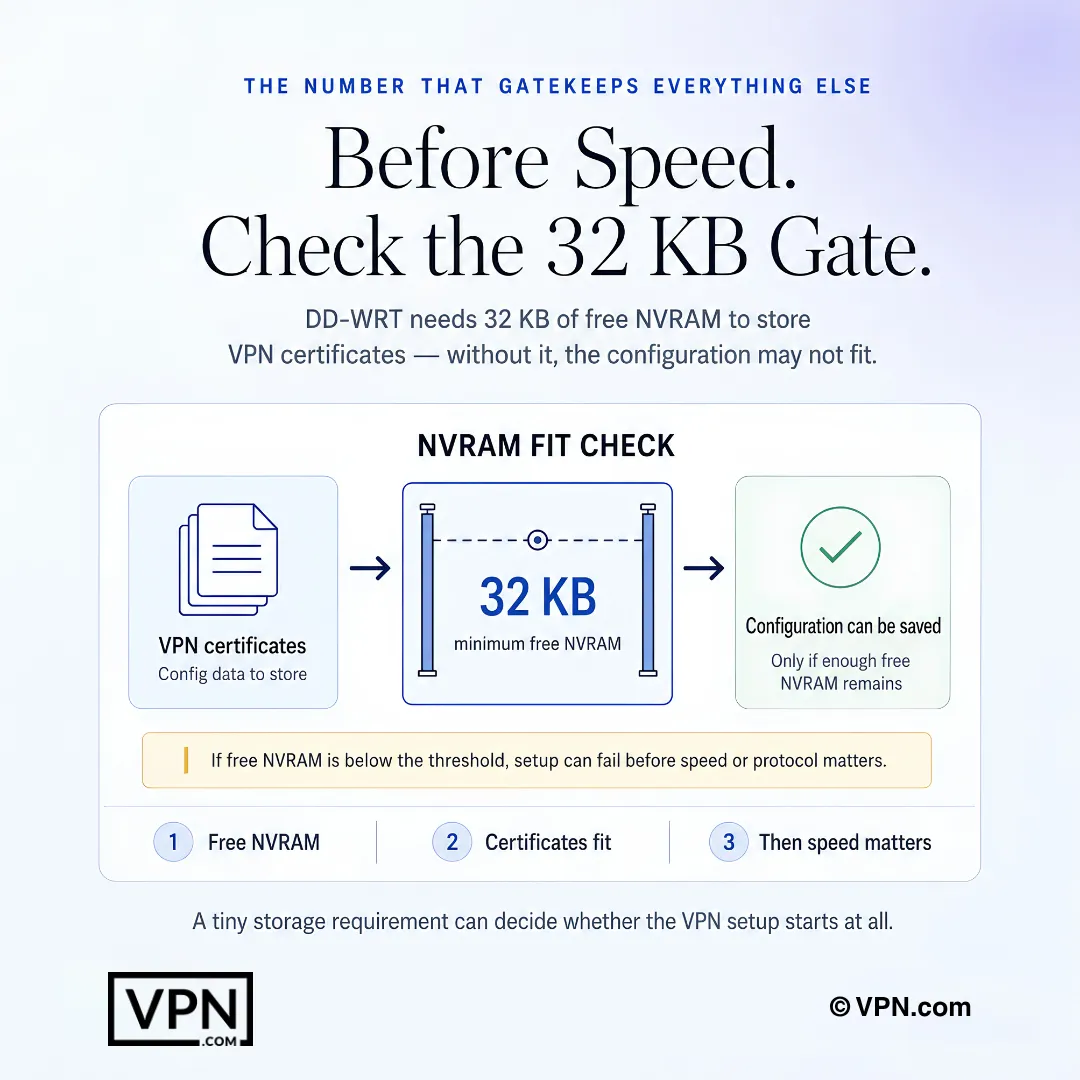
On DD-WRT, free NVRAM can decide whether the VPN configuration fits before speed matters.
Frequently Asked Questions
What makes DD-WRT different from stock router firmware for VPN use?
DD-WRT is free, open-source firmware supporting over 200 router models that accesses an OpenVPN or WireGuard client directly inside the router’s web interface, something locked stock firmware won’t allow. You configure the tunnel once under Services → VPN, and every connected device, phone, laptop, smart TV, or game console, inherits encryption automatically with no per-device app installs.
What DD-WRT build version do I need to run WireGuard instead of OpenVPN?
You need build r47525 or newer for WireGuard kernel module support; older builds only run OpenVPN. Private Internet Access and Mullvad both support WireGuard on these newer builds, while NordVPN, ExpressVPN, and Surfshark currently rely on OpenVPN only for DD-WRT, so check your router’s exact build in the DD-WRT database before flashing.
How much NVRAM does my router need to store a VPN configuration on DD-WRT?
DD-WRT requires a minimum of 32 KB of NVRAM to store OpenVPN certificates, keys, and configuration strings; 64 KB allows multiple VPN profiles at once. Run nvram show | grep size under Administration → Commands to check current usage, and stop if free NVRAM drops below 5 KB after pasting configs, since that can destabilize the router.
How do I actually install a VPN on my DD-WRT router?
Flash the correct DD-WRT build for your model, log into the admin panel at 192.168.1.1, then enable the OpenVPN client under Services → VPN and paste your provider’s .ovpn file, CA certificate, and TLS key. Set DNS manually under Setup → Basic Setup, add an iptables kill switch script, then apply settings and reboot to confirm the tunnel under Status → OpenVPN.
Does DD-WRT come with a built-in kill switch?
No, DD-WRT has no GUI kill switch toggle. You have to add custom iptables commands under Administration → Commands to block all WAN traffic if the tunnel drops, saved as a Startup Script. NordVPN, ExpressVPN, and Surfshark all publish DD-WRT guides that include the specific iptables rules for their server configurations.
Which VPN retains the most speed when run through a DD-WRT router?
ExpressVPN retains roughly 70-80% of base connection speed on DD-WRT, the strongest OpenVPN result among tested providers, with Mullvad and PIA close behind at 72-80% thanks to WireGuard support on builds r47525+. NordVPN runs around 65-75% and Surfshark around 60-70%, since Surfshark lacks native WireGuard support on DD-WRT firmware.
How many devices does a DD-WRT VPN setup actually cover?
Every device on your home network gets protected automatically once the VPN is configured at the router, since the router itself counts as a single connection regardless of the provider’s device limit. NordVPN normally caps accounts at 10 devices and ExpressVPN at 10-14 depending on plan, but those caps don’t apply here; Surfshark’s unlimited-device plan still helps if you also run its app elsewhere.
Will DD-WRT prevent DNS leaks automatically once a VPN is connected?
No, DD-WRT defaults to your ISP’s DNS servers unless you manually override them under Setup → Basic Setup. Replace them with your provider’s DNS, NordVPN uses 103.86.96.100 and 103.86.99.100, or a resolver like Quad9 (9.9.9.9), and add no-resolv under Additional DNSMasq Options to stop ISP fallback queries.
Which VPN is the cheapest option for a DD-WRT router setup?
Private Internet Access undercuts the rest at $2.20/month, with WireGuard support included. Surfshark starts from $2.49/month on its longest-term plan but lacks native WireGuard support on DD-WRT. NordVPN starts from $3.49/month and ExpressVPN from $3.26/month, both on their longest terms.
What happens if a VPN doesn’t perform well once configured on my DD-WRT router?
NordVPN, ExpressVPN, and Surfshark each back their plans with a 30-day money-back guarantee, so you can test router-level performance on your specific hardware before committing. If OpenVPN overhead cripples your speeds or your build lacks WireGuard support, request a refund within the window rather than staying locked into a plan that underperforms on your setup.
Why does my DD-WRT VPN tunnel connect but no internet traffic passes through?
This usually means “Redirect default Gateway” isn’t enabled in the OpenVPN client settings, or the firewall is blocking the tun0 interface. Enable the redirect option and, if needed, add iptables -I FORWARD -i tun0 -j ACCEPT under Administration → Commands. Also confirm your router’s clock is accurate, since expired TLS certificates cause similar connection failures.
Why does my router crash or reboot after I enable VPN on DD-WRT?
This typically points to insufficient NVRAM or RAM rather than a bad configuration. Check free memory under Status → Memory; routers with under 128 MB of RAM often struggle to hold stable OpenVPN tunnels, especially with several devices connected simultaneously. Switching to WireGuard on a r47525+ build reduces CPU load and can resolve intermittent crashes.
My DD-WRT router feels too slow with the VPN on, what should I check first?
Routers with a CPU clock speed below 800 MHz see noticeable slowdown running OpenVPN encryption. Try dropping the cipher from AES-256-CBC to AES-128-CBC, disable hardware NAT acceleration if enabled, or switch to WireGuard if your build supports r47525+. Hardware like the Netgear R7000 or Linksys WRT3200ACM handles VPN encryption noticeably better than older MIPS-based routers.