Our answer#1 of 4

NordVPN
Best for Gaming#1 of 22 in our Speed Lab · NordLynx protocol · Meshnet · from $3.39/mo.
Get NordVPN30-day money-back guarantee
Decision guide · Updated September 2026
A gaming VPN hides your IP from DDoS attacks, stops ISP throttling and opens region-locked stores. Pick on Speed Lab rank, protocol and how many devices you need.
NordVPN
Best for Gaming#1 of 22 in our Speed Lab · NordLynx protocol · Meshnet · from $3.39/mo.
Get NordVPNThe ranking
Ordered by our overall score, aggregated from independent testing labs.



You’re in the middle of an intense online match. Your team is relying on you. Suddenly, your game slows down or you can’t even join because of where you live. That kind of disruption costs the match and ruins the experience.
A VPN keeps your connection secure and open to servers worldwide. This guide covers which VPNs suit gaming and how to set them up on any device, including consoles with no VPN app.
A VPN creates an encrypted tunnel for your internet traffic. It hides your location and protects your connection from outside interference. Here’s why that matters for gaming:
A VPN won’t help every player equally. If your base connection is already optimal with low ping to nearby servers, you may notice a small amount of added latency from encryption overhead. For most players dealing with throttling, DDoS risk, or region locks, the trade-off is worth it.
Our Speed Lab rank aggregates published results from independent testing labs. We don’t run our own speed tests.
| VPN | Speed Lab rank | Servers | Connections | Price |
|---|---|---|---|---|
| NordVPN | #1 of 22 | 9,300+ | 10 | $3.39/mo |
| ExpressVPN | #8 of 22 | 3,000+ | 8 | $6.67/mo |
| Surfshark | #4 of 22 | 3,200+ | Unlimited | $2.49/mo |
| CyberGhost | #10 of 22 | 13,000+ | 7 | $2.25/mo |
NordVPN ranks #1 of 22 in our Speed Lab and runs its own NordLynx protocol, built on WireGuard. It operates over 9,300 servers across 211 locations. Meshnet allows private gaming sessions with friends on a secure network. NordWhisper hides VPN usage from networks that block VPN traffic.
Over 3,000 servers in 105 countries, running ExpressVPN’s own Lightway protocol. MediaStreamer enables VPN functionality on consoles that don’t support apps natively. Apps cover routers, PC, Mac and mobile.
Over 13,000 servers, including a gaming category the app can pick from for you. Simple interface ideal for users new to VPNs. CyberGhost ranks #10 of 22 in our Speed Lab.
Over 3,200 servers in 100 countries with unlimited simultaneous connections. Your entire household can game on one account. Camouflage Mode hides VPN traffic from ISPs and network administrators.
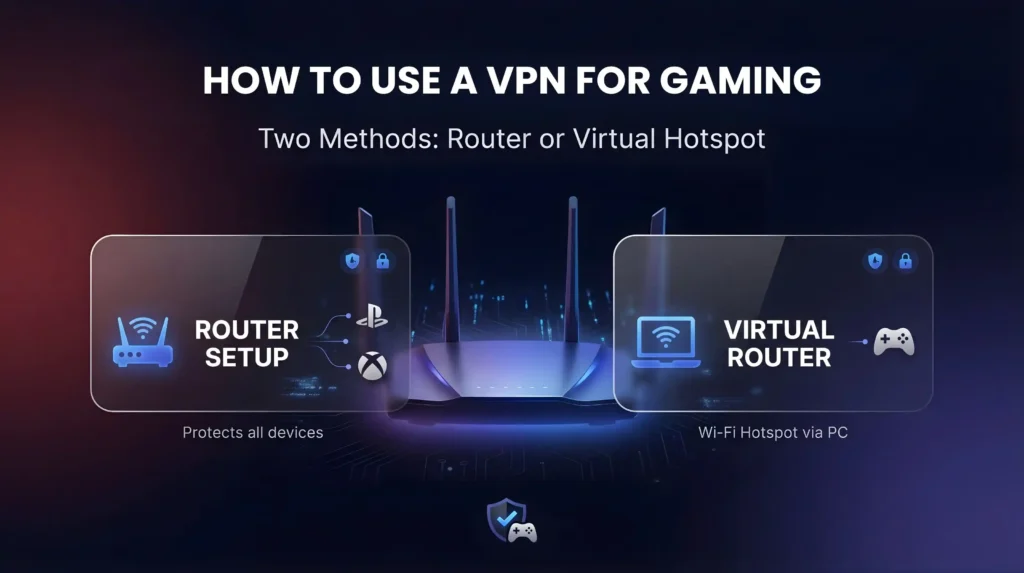
Most consoles don’t support VPN apps directly. Here are two ways to get around that. Check that your router supports VPNs. If you’re unsure which models work, our guide to the best VPN for routers covers compatible hardware and firmware requirements.
This protects all your devices, including consoles. Log in to your router’s admin panel (usually 192.168.1.1). Follow your VPN provider’s configuration guide. Connect your console to the network.
Port forwarding note: If you use a VPN for gaming and notice NAT type issues (strict or moderate NAT), enable port forwarding through your VPN provider’s settings if available. Private Internet Access (PIA) is the only mainstream provider with native port forwarding support. NordVPN and ExpressVPN do not offer it. A stricter NAT type after connecting usually means port forwarding is needed for peer-to-peer games.
For PS4 and PS5 specifically, our best VPN for PlayStation guide covers router configuration and hotspot sharing tailored to Sony’s consoles.
Install the VPN on your PC. Create a Wi-Fi hotspot through your system settings. Connect your console to that hotspot. This routes all console traffic through the VPN without touching your router configuration.
Works well for temporary setups or when you don’t have admin access to the router. If you game on Microsoft’s console, our best VPN for Xbox guide walks through the same methods tailored to Xbox’s network settings.
This page covers general gaming VPN recommendations. For platform-specific setup instructions, server picks, and troubleshooting, see our dedicated guides:
Got issues with your VPN during online matches? Try these fixes:
The right VPN removes the frustrations that ruin online gaming. NordVPN ranks #1 of 22 in our Speed Lab and adds 9,300+ servers and Meshnet for private lobbies. ExpressVPN offers the simplest setup across platforms, including MediaStreamer for consoles. Surfshark fits households that need unlimited connections on a budget.
Pick the provider that matches your priority: speed, ease of use, or value. Each VPN on this list offers a money-back guarantee, so you can test it risk-free on your own connection.
Charts and reference images from our testing, free to view and share.
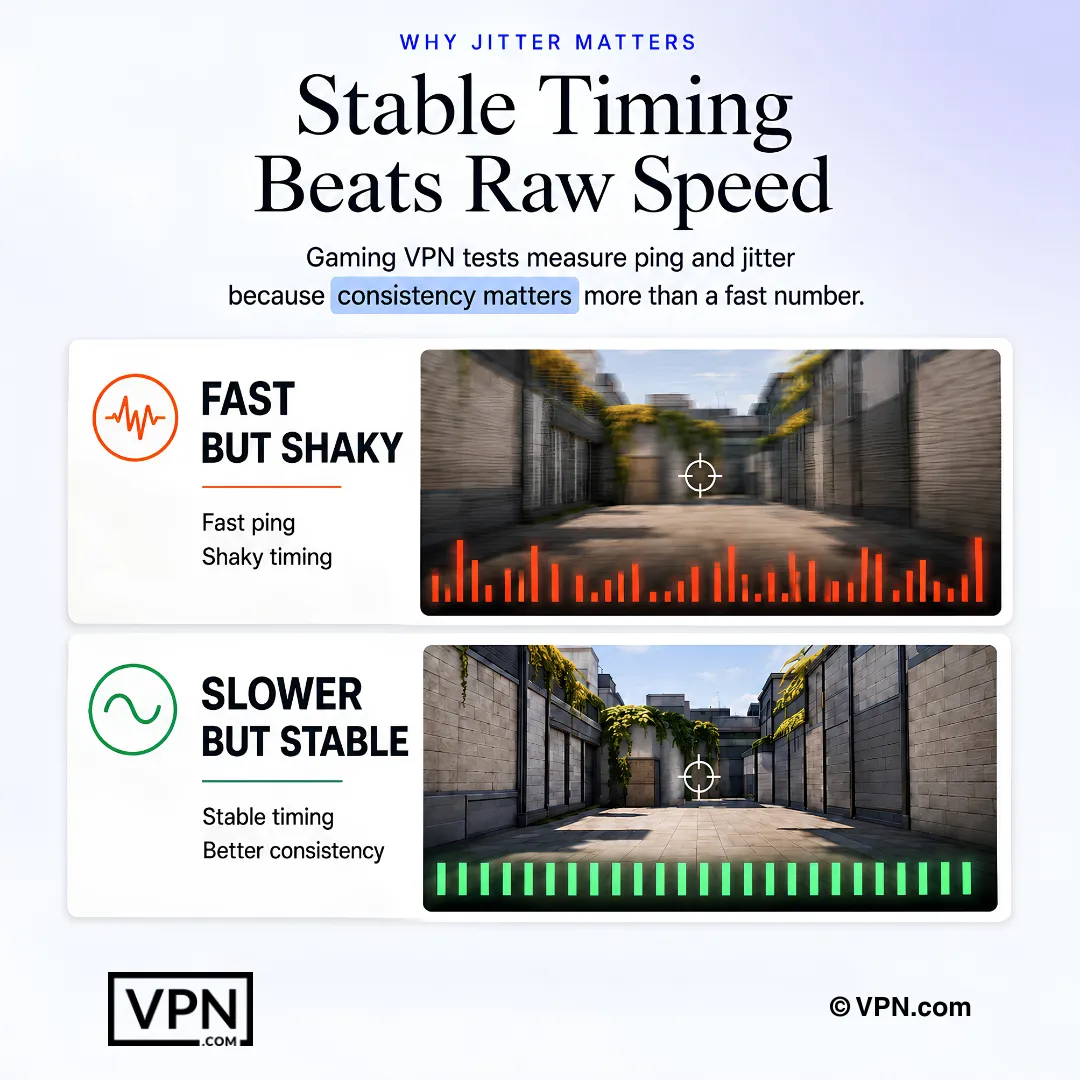
NordVPN ranks #1 of 22 in our Speed Lab, ahead of Surfshark at #4, ExpressVPN at #8 and CyberGhost at #10. How much latency any of them adds on your connection depends on your own ISP, your distance to the game’s data center and the protocol you pick, so test it on your own network within the money-back window.
We don’t run our own speed tests. The Speed Lab rank aggregates published results from independent testing outlets, including Security.org, Cybernews, All About Cookies, VPN Mentor, Wizcase and Cloudwards. It gives you a relative ordering across 22 providers rather than a throughput figure measured on our hardware.
Yes, a VPN hides your real IP address behind the provider’s server IP, making it nearly impossible for attackers to target your connection directly with a denial-of-service attack. Cloudflare’s DDoS threat report lists gaming and gambling among the most-attacked industries by volume, which is exactly why competitive players are frequent targets in the first place.
A VPN lowers ping only when it routes you through a server geographically closer to the game’s data center than your default path, not by hiding your IP. Hiding your IP protects against DDoS attacks and stops ISP throttling, but encryption itself can add a small amount of overhead rather than reduce latency directly.
Using a VPN to connect to a different regional store isn’t illegal, but it can conflict with platform terms. Valve’s Steam subscriber agreement enforces regional store restrictions, and connecting through a server in the target region gives access to region-locked content, DLC, or early releases, though publishers can still enforce their own account rules separately.
Surfshark and PIA both allow unlimited simultaneous connections, covering every console, PC, and phone in a household on one account. NordVPN covers 10 devices, CyberGhost covers 7, and ExpressVPN covers 10 to 14 depending on plan. For a household running several consoles and PCs at once, Surfshark or PIA remove the device-count concern entirely.
A stricter NAT type after connecting to a VPN usually signals you need port forwarding for peer-to-peer games to connect properly. Private Internet Access is the only mainstream provider here with native port forwarding support; NordVPN and ExpressVPN don’t offer it. Enable port forwarding through your provider’s settings if you notice strict or moderate NAT after connecting.
Since most consoles don’t support VPN apps directly, install the VPN on your router instead by logging into its admin panel, typically at 192.168.1.1, and following your provider’s configuration guide, then connect your console to that network. Alternatively, run a virtual router: install the VPN on your PC, create a Wi-Fi hotspot, and connect your console to it.
Switch to a server physically closer to the game’s data center first, since proximity affects latency more than almost any other factor. Also switch your protocol to WireGuard or NordLynx if you’re currently on OpenVPN, since older protocols add more overhead. If spikes persist, try a different server or contact your provider’s support team.
CyberGhost offers the longest window at 45 days, while NordVPN, ExpressVPN, Surfshark, and PIA all back their plans with a standard 30-day money-back guarantee. That gives you enough time to test actual in-game latency and NAT behavior on your own network and console hardware before committing to a longer term.
Pricing varies by provider and commitment length. Surfshark starts from $2.49/month on its longest plan, CyberGhost starts from $2.03/month, PIA from $2.20/month, NordVPN starts from $3.49/month, and ExpressVPN from $3.26/month, both on their longest-term plans. Longer commitments access the lowest rates across all five providers, while month-to-month pricing runs considerably higher.
An ISP can only throttle gaming traffic it recognizes as gaming traffic, and a VPN encrypts and masks that activity so throttling never triggers in the first place. This applies mainly to ISPs that deliberately slow gaming connections during peak hours, a separate issue from the DDoS protection a VPN provides by hiding your real IP address.