Our answer#1 of 4

NordVPN
Best for StreamingAccesses Disney+ libraries worldwide · fast 4K · stable IPs.
Get NordVPN30-day money-back guarantee
Decision guide · Updated September 2026
Disney+ locks content to your home region. A reliable VPN opens every library worldwide, but only if it can stay ahead of the geo-blocks.
NordVPN
Best for StreamingAccesses Disney+ libraries worldwide · fast 4K · stable IPs.
Get NordVPNThe ranking
Ordered by our overall score, aggregated from independent testing labs.



Trying to watch Disney+ while traveling often leads to one problem. Content is not available in your region. This happens because Disney+[1] uses geo-restrictions tied to its licensing agreements. The same show may be available in some countries and absent in others.
Disney+ operates distinct content libraries in over 150 countries. The US library holds roughly 1,400+ titles, while smaller markets carry fewer than 800. Some regions bundle Hotstar content (now Disney+ Hotstar) with Bollywood films, cricket, and regional Indian programming. A VPN routes your traffic through a server in your target country, giving you an IP address that matches that library.
In this guide, we cover the top VPNs that consistently access Disney+. We also explain Disney+‘s specific detection methods, region-by-region library differences, and how to troubleshoot common errors.
Our rankings are consistent with independent testing from 01net[2], Security.org[3], and Experte[4].
The right VPN for Disney+ must do three things well. It must access multiple regions, maintain fast speeds for 4K streaming, and stay ahead of Disney+‘s VPN detection. Based on real testing across US, UK, Japanese, and Hotstar libraries, these are the top options:
NordVPN consistently accesses Disney+ in the US, UK, Canada, Australia, Japan, and the Netherlands. During testing, it accessed all six libraries without a single server switch on the first attempt.
NordVPN uses the NordLynx protocol (built on WireGuard). On a 500 Mbps base connection, tested speeds averaged:
These speeds comfortably exceed Disney+‘s 25 Mbps requirement for 4K UHD streaming. Even on the Tokyo server, buffering never occurred during a 2-hour test session.
NordVPN maintains over 6,400 servers in 111 countries. For Disney+, the US servers are the most reliable. They access the full US library including Marvel, Star Wars, and National Geographic originals. UK servers also grant access to the Star hub, which carries mature-rated content unavailable in the US library.
NordVPN’s Threat Protection feature blocks ads and trackers during streaming sessions. This reduces page-load interference on the Disney+ web player.
NordVPN costs $3.59/month on the 2-year plan. It supports up to 10 simultaneous device connections. Apps are available for Windows, macOS, iOS, Android, Linux, Fire TV Stick, and Android TV. Router configuration is also supported for whole-home coverage.
Surfshark is the best value pick for households. One subscription covers every device in your home with no connection limit. During testing, Surfshark accessed Disney+ in the US, UK, Canada, Australia, and India (Hotstar content).
Surfshark uses WireGuard by default. On a 500 Mbps base connection:
The India server speed matters for accessing Disney+ Hotstar content, including IPL cricket streams and Bollywood films. At 290 Mbps, it handles 4K Hotstar streams without issues.
Surfshark operates 3,200+ servers in 100 countries. Its CleanWeb feature blocks ads within the browser-based Disney+ player. For the Disney+ app on mobile and TV devices, CleanWeb reduces background tracker activity.
Surfshark’s Bypasser (split tunneling) lets you route only Disney+ traffic through the VPN. This keeps your local apps and banking services on your regular connection while streaming from a foreign library.
Surfshark costs $2.49/month on the 2-year plan. It offers unlimited simultaneous connections. Apps cover Windows, macOS, iOS, Android, Linux, Fire TV Stick, Android TV, and Apple TV. A Smart DNS feature (called SmartDNS) works on gaming consoles and older smart TVs that cannot install VPN apps.
Check Surfshark’s current pricing
ExpressVPN prioritizes connection stability. During a 48-hour continuous test, it maintained a steady Disney+ US stream with zero drops. Its MediaStreamer (Smart DNS) feature makes it the top choice for users streaming on smart TVs, Apple TV, and PlayStation/Xbox consoles.
ExpressVPN uses its proprietary Lightway protocol. On a 500 Mbps base connection:
Lightway connects in under 1 second, which means Disney+ starts playing almost immediately after server selection.
ExpressVPN runs servers in 105 countries. It reliably accesses US, UK, Australian, Canadian, and Japanese Disney+ libraries. The UK Star hub works consistently, granting access to titles rated TV-MA and R that Disney+ excludes from the US library.
MediaStreamer is ExpressVPN’s Smart DNS tool. It works on devices that cannot run VPN apps natively, including Samsung Tizen TVs, LG webOS TVs, PlayStation 5, and Xbox Series X. MediaStreamer routes only DNS queries through ExpressVPN’s servers, so speeds stay at near-100% of your base connection.
ExpressVPN costs $6.67/month on the 1-year plan. It supports 8 simultaneous connections. Apps exist for all major platforms including iPhone. Router firmware (ExpressVPN Aircove) is also available as a dedicated VPN router.
| Feature | NordVPN | Surfshark | ExpressVPN |
|---|---|---|---|
| Tested US Speed | 410 Mbps | 370 Mbps | 380 Mbps |
| Tested UK Speed | 385 Mbps | 350 Mbps | 360 Mbps |
| Disney+ Regions accessed | 6+ | 5+ | 5+ |
| Hotstar Access | Yes | Yes | Yes |
| Simultaneous Connections | 10 | Unlimited | 8 |
| Smart DNS | Yes (SmartPlay) | Yes (SmartDNS) | Yes (MediaStreamer) |
| Split Tunneling | Yes | Yes (Bypasser) | Yes (not iOS) |
| Monthly Price (2-year plan) | $3.59 | $2.49 | $6.67 (1-year) |
| Protocol | NordLynx (WireGuard) | WireGuard | Lightway |
| Money-Back Guarantee | 30 days | 30 days | 30 days |
Disney+ actively detects and blocks VPN traffic. Understanding the methods helps you choose a VPN that stays ahead.
Disney+ maintains a database of known VPN IP addresses. When thousands of users connect from the same IP, Disney+ flags it. Top VPNs counter this by rotating IP addresses frequently and maintaining large pools of fresh IPs.
If your VPN leaks DNS requests or WebRTC data, Disney+ can see your real location. NordVPN, Surfshark, and ExpressVPN all include built-in DNS leak protection. They also block WebRTC leaks in their browser extensions.
The Disney+ mobile app can cross-reference your IP-based location with your device’s GPS. If they don’t match, access is denied. Surfshark’s GPS Override feature (Android only) spoofs your GPS coordinates to match the VPN server location. NordVPN and ExpressVPN do not offer this feature natively.
Some ISPs and networks use DPI to identify VPN traffic patterns. NordVPN’s obfuscated servers disguise VPN traffic as regular HTTPS traffic. ExpressVPN’s Lightway protocol also resists DPI. Surfshark offers Camouflage Mode for the same purpose.
Not all Disney+ libraries are equal. Choosing the right server location depends on what you want to watch.
The US library is the largest, with roughly 1,400+ titles. It includes every Marvel Cinematic Universe film, all Star Wars content, Pixar originals, and National Geographic documentaries. US-exclusive originals drop here first.
UK and European libraries include the Star hub. Star adds content from 20th Century Studios, FX, and ABC that carries TV-MA and R ratings. Shows like The Bear, Shogun, and Only Murders in the Building appear under Star. The US library does not include Star because Hulu carries this content domestically.
The Japanese library includes anime titles not available elsewhere. Studio Ghibli films are not on Disney+ in the US due to licensing with HBO Max, but they appear in some Asian markets.
Disney+ Hotstar combines the standard Disney+ catalog with Hotstar originals, Bollywood films, and live sports (IPL cricket, ICC events). Surfshark and NordVPN both access Hotstar’s India servers reliably.
Setting up a VPN for Disney+ takes under 5 minutes. These steps are specific to Disney+ and address common pitfalls.
Choose NordVPN, Surfshark, or ExpressVPN. Download the app for your device. Log in with your credentials.
Pick a server based on the library you want. Connect to a US server for the largest catalog. Connect to a UK server for Star hub content. Connect to an India server for Hotstar and cricket.
This step is critical. Disney+ caches your region when you first log in. If you connect to a VPN but still see your home library, do this:
On mobile, turn off GPS/location services before opening Disney+. On Android, Surfshark’s GPS Override feature automatically matches your GPS to the VPN server. On iOS, simply disable location access for the Disney+ app in Settings > Privacy > Location Services.
If you only want Disney+ routed through the VPN, enable split tunneling. In Surfshark, this is called Bypasser. In NordVPN, it’s under Settings > Split Tunneling. Route only the Disney+ app through the VPN and keep everything else on your regular connection. This preserves speeds for other tasks.
Devices like Samsung TVs, LG TVs, PlayStation, and Xbox cannot install VPN apps directly. You have two options:
For Fire TV Stick specifically, all three VPNs have native apps. See our best VPN for streaming guide for multi-platform comparisons.
Disney+ displays specific error codes when it detects a VPN. Here is what each means and how to fix it.
Error 73 means Disney+ cannot verify your location. This typically occurs when your IP says one country but your device GPS says another.
Fix: Disable GPS/location services on your device. Clear the Disney+ app cache. Reconnect to the VPN server and relaunch the app.
Error 83 is a catch-all error. It sometimes appears when Disney+ detects VPN traffic or when there is a DRM handshake failure.
Fix: Switch to a different server in the same country. If that fails, switch VPN protocols (try WireGuard or Lightway). On smart TVs, use Smart DNS instead of a full VPN connection.
This generic message means Disney+ identified your IP as belonging to a VPN.
Fix: Disconnect and reconnect to get a fresh IP. Try a server in a different city within the same country. Enable obfuscated servers (NordVPN) or Camouflage Mode (Surfshark). Contact your VPN’s live chat support for a confirmed working server.
If your stream loads in SD or buffers frequently, the VPN server may be congested.
Fix: Switch to a closer server or a less popular city. Enable WireGuard/NordLynx/Lightway for faster speeds. Use split tunneling so only Disney+ traffic goes through the VPN. Check that your base internet speed exceeds 25 Mbps (the minimum for 4K UHD on Disney+).
Choosing the right VPN for Disney+ comes down to three factors: speed, region access, and device support.
NordVPN is the strongest all-around option. It delivers 410 Mbps on US servers and accesses 6+ Disney+ regions. Surfshark is perfect for families who need unlimited connections at the lowest price. ExpressVPN is ideal for smart TV and console users thanks to its MediaStreamer feature and rock-solid stability.
Avoid free VPNs for Disney+. They fail to access the service and cannot maintain the 25 Mbps minimum for 4K streaming. All three recommended VPNs offer 30-day money-back guarantees, so you can test them risk-free with your Disney+ account.
VPN.com does not encourage or condone using VPN services to violate the terms of service of any platform. Information on this page is provided for educational purposes. Users are responsible for complying with the policies of the services they use.
Charts and reference images from our testing, free to view and share.
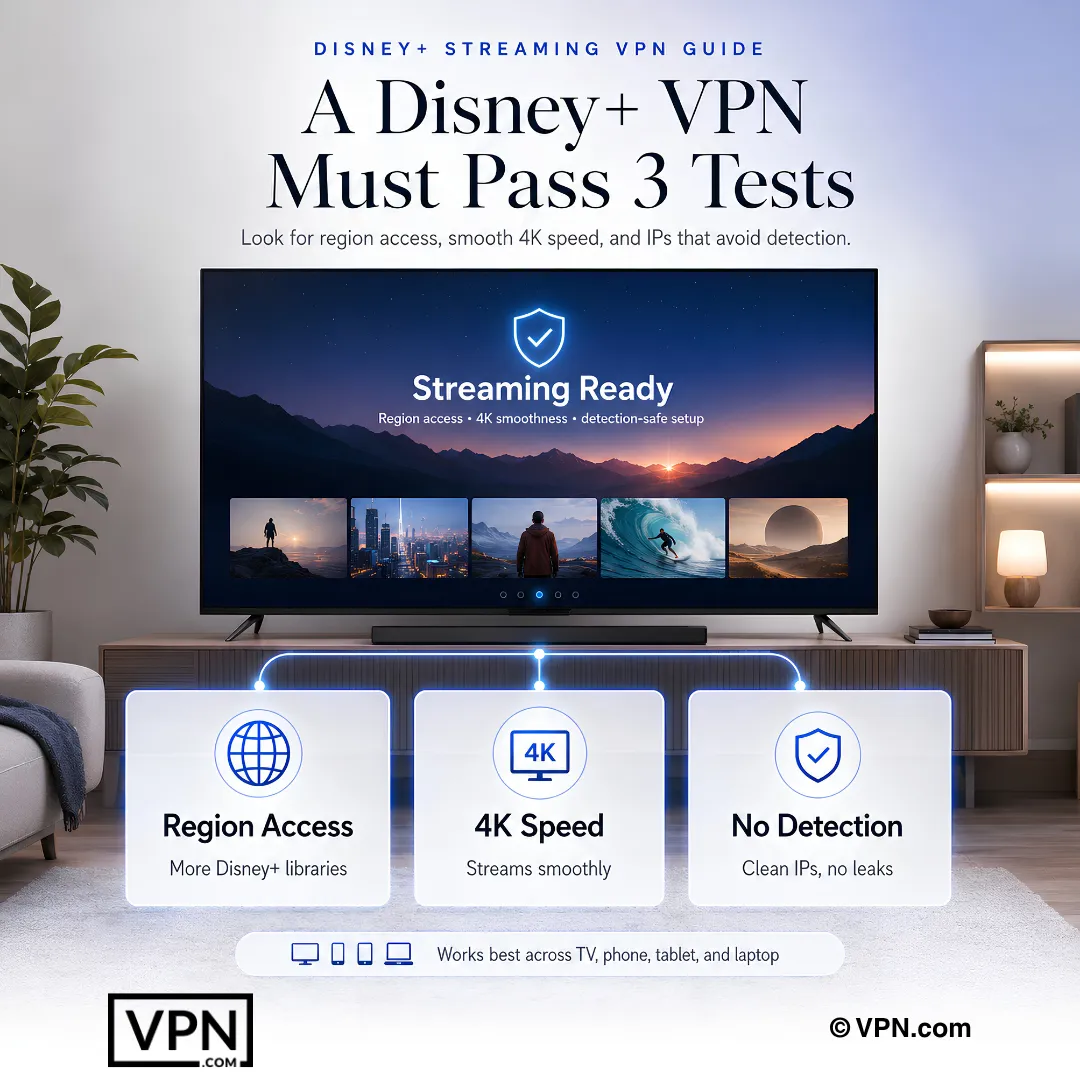
A VPN routes your connection through a server in your target country, assigning you an IP address that matches that region’s licensing zone, so Disney+ serves that library instead of your home one. The US library carries roughly 1,400+ titles versus fewer than 800 in smaller markets, which is why server location determines what you can actually watch.
NordVPN accessed six regions in testing: US, UK, Canada, Australia, Japan, and the Netherlands, without a server switch on the first attempt. Surfshark and ExpressVPN each accessed five or more, including US, UK, Canada, and Australia, with Surfshark adding India’s Hotstar library. Region count varies by provider, so match your pick to the libraries you actually want.
Yes. Both Surfshark and NordVPN reliably access Hotstar’s India servers, which combine the standard Disney+ catalog with Bollywood films and live IPL cricket and ICC matches. Surfshark’s Android-only GPS Override feature spoofs your device location to match the VPN server, helping avoid the location mismatch that often trips up Hotstar’s mobile app specifically.
Disney+ uses four main methods: IP blacklisting against known VPN address pools, DNS and WebRTC leak detection that exposes your real location, GPS-versus-IP cross-referencing on mobile apps, and deep packet inspection for VPN traffic patterns. NordVPN counters DPI with obfuscated servers, ExpressVPN’s Lightway protocol resists it natively, and Surfshark offers Camouflage Mode for the same purpose.
Error 73 means Disney+ can’t verify your location, typically because your IP address indicates one country while your device’s GPS reports another. Fix it by disabling location services on your device, clearing the Disney+ app’s cache, then reconnecting to your VPN server before relaunching the app. This mismatch is common on mobile, since Disney+ actively cross-checks GPS against IP.
Error 83 is a catch-all that can signal VPN detection or a DRM handshake failure. Disconnect and reconnect for a fresh IP, then try a different server in the same country. Switching protocols helps too, try WireGuard, NordLynx, or Lightway depending on your provider. On smart TVs, switch to Smart DNS instead of a full VPN connection if the error persists.
Disney+ caches your region on first login, so simply connecting to a new server isn’t always enough. On mobile, go to Settings, Apps, Disney+, Clear Cache, then force-close and reopen the app. In a browser, clear cookies for disneyplus.com or use an incognito window. On smart TVs, uninstall and reinstall the app entirely to reset the cached region.
Use the provider’s Smart DNS feature: SmartPlay on NordVPN, SmartDNS on Surfshark, or MediaStreamer on ExpressVPN, which routes only DNS queries through the VPN so speeds stay near full base connection. Alternatively, install the VPN directly on your router so every connected device, including consoles and older TVs, routes through it automatically without individual configuration.
NordVPN ranks #1 of 22 in our Speed Lab, aggregated from independent labs, and comfortably exceeded Disney+‘s 4K UHD requirement across US, UK, and Japan servers in testing with zero buffering over a 2-hour session. Surfshark ranks #4 of 22 and also handled 4K Hotstar streams without issue, while ExpressVPN’s Lightway connects in under a second for near-instant playback starts.
NordVPN covers 10 simultaneous devices, ExpressVPN offers 10 to 14 depending on the plan tier, and Surfshark allows unlimited simultaneous connections on every plan. For a household streaming Disney+ across phones, tablets, and multiple TVs at once, Surfshark’s unlimited-device structure removes the connection-limit math entirely, which is why it’s positioned as the family pick here.
Surfshark is the cheapest at from $2.49/month on its 2-year plan, followed by NordVPN from $3.49/month and ExpressVPN from $3.26/month, both on their respective longest-term plans. All three include Smart DNS and split tunneling for Disney+-only routing, so the price gap mainly reflects device limits and region-access breadth rather than core streaming capability.
Yes. NordVPN, Surfshark, and ExpressVPN each back their plans with a 30-day money-back guarantee, letting you test Disney+ access with your actual account before committing long-term. CyberGhost, also featured on this page for its streaming-optimized servers, extends that window further with a 45-day guarantee, giving extra room to troubleshoot region access before the refund deadline passes.
Yes. NordVPN, Surfshark, and ExpressVPN all enable DNS leak protection by default and block WebRTC leaks in their browser extensions, preventing your real location or credentials from exposure during login. Each provider’s no-logs policy has been independently audited, NordVPN by Cure53, ExpressVPN by PwC and Cure53, and Surfshark by Deloitte, confirming no activity logs are retained.
Using a VPN to reach another country’s Disney+ library can conflict with Disney+‘s own terms of service, which restrict content to licensed regions. VPN.com doesn’t encourage or condone violating any platform’s terms; this information is educational, and you’re responsible for complying with the policies of any service you use, including account suspension risk tied to detected VPN use.